One ID badge: on the phone, on a card, and checkable by anyone
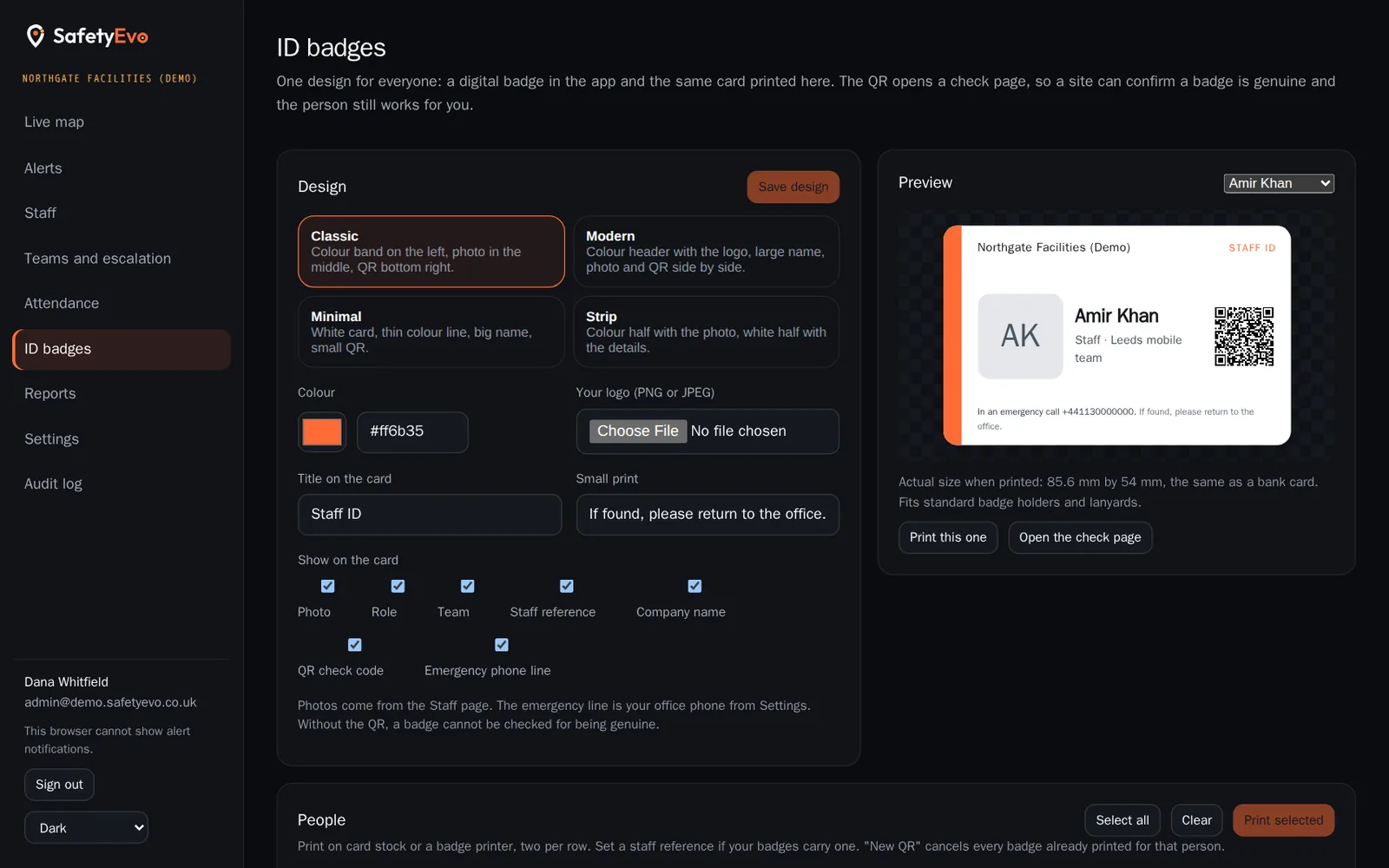
Choose a layout, your colour and your logo, and decide what the card shows. Every worker gets the same badge on their phone, from Settings, from the lock screen widget or from the shift card during an emergency, and you can print the card at bank card size for lanyards.
Each badge carries a QR code. A site scans it with any phone camera and sees the name, role, company and photo, and whether the badge is still valid. A leaver’s badge fails the check the same day.
The problems it solves
Badges that outlive the job
A printed card keeps working after someone leaves, because nobody can tell from the card.
Nothing to show at the gate
A worker who forgot their card is turned away or let in on trust.
Design work for every badge
Making cards in a drawing program, one at a time, with photos pasted in by hand.
How it works
- 1
Design once
Four layouts, your colour, your logo, a title and small print, and which fields show: photo, role, team, staff reference, company, QR and an emergency phone line.
- 2
Print when needed
Pick one person or many and print. Cards come out at 85.6 by 54 mm, two per row, for standard badge holders.
- 3
Carry it on the phone
The badge is kept on the phone, so it shows with no signal. In an emergency the worker can open it from the lock screen card.
- 4
Check with a scan
The QR opens a check page. Valid or not, with the photo to compare against the person. Every check and every print is in your audit log.
Key benefits
- Genuine, and current. A badge is only valid while the person works for you. Issue a new QR and every card printed before it stops working.
- Yours, not ours. Your logo and colours. SafetyEvo stays out of the design.
- Nothing private on the check page. Name, role, company and photo only. No phone number, no location.
Where teams use it
Related
Frequently asked questions
Does a site need an app to check a badge?
No. Any phone camera opens the check page in a browser.
Can we use our own design?
You choose the layout, colour, logo, title, small print and fields in the console. Fully custom artwork is not supported yet.
What if a badge is lost?
Issue a new QR for that person. Every card printed before it fails the check from then on, and the phone badge updates itself.
Does scanning a badge track the worker?
No. A check records that the badge was checked, for the employer’s audit log. It does not record or share a location.
See it working on your own phone.
Book a short demo and we will raise an alert together and follow it to a named person.