An SOS button that keeps going until someone answers
The SOS button is the largest thing on the worker’s screen. Holding it for two seconds starts a five second countdown, long enough to cancel a pocket press and short enough not to delay help.
Once sent, the alert carries the worker’s location, switches their location updates to every few seconds, and starts your escalation ladder on our servers.
The problems it solves
False alarms erode trust
If an alarm goes off from a pocket every week, responders stop taking it seriously.
No signal at the worst moment
Basements, plant rooms and rural lanes can swallow a message.
Being forced to cancel
In a threatening situation a worker may be made to switch the alarm off.
How it works
- 1
Hold for two seconds
A deliberate press, so a knock in a bag does not set it off.
- 2
Five second countdown
Cancelling needs the worker’s PIN, checked on the phone so it works without signal.
- 3
Sent, or saved until signal returns
With no signal the alert is saved on the phone and sent the moment it reconnects. Each resend carries the same key, so it lands once.
- 4
Escalation until acknowledged
Push, then text, then an automated call, moving through your ladder until a named person takes it.
In the app
What your staff and your office see.
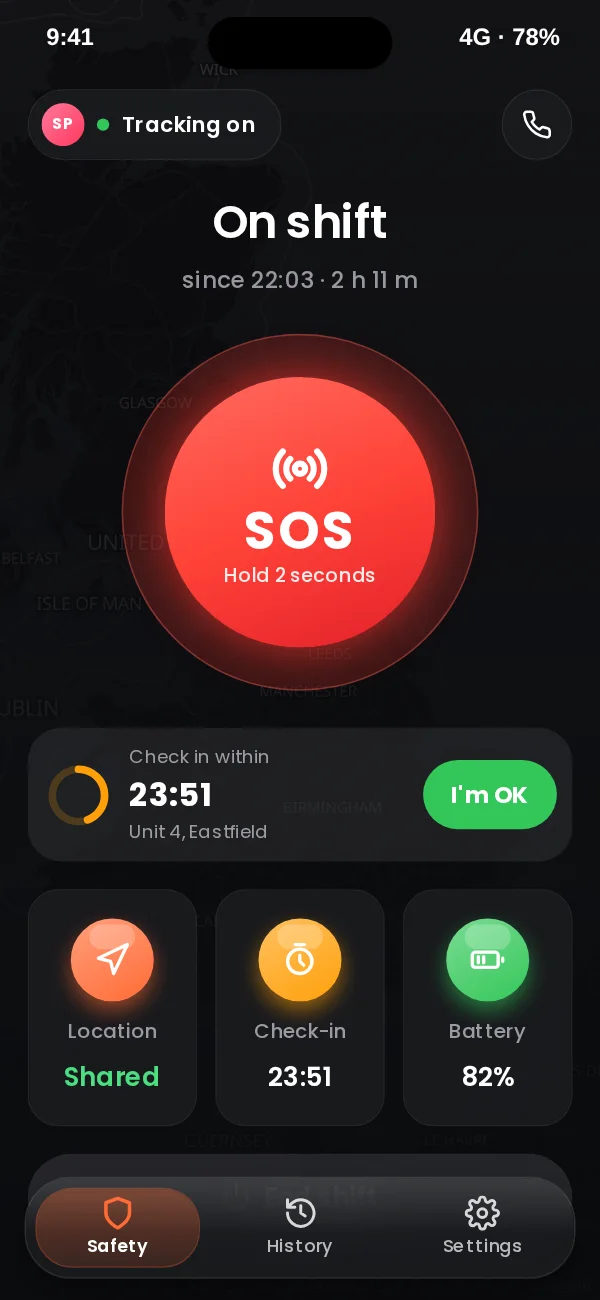
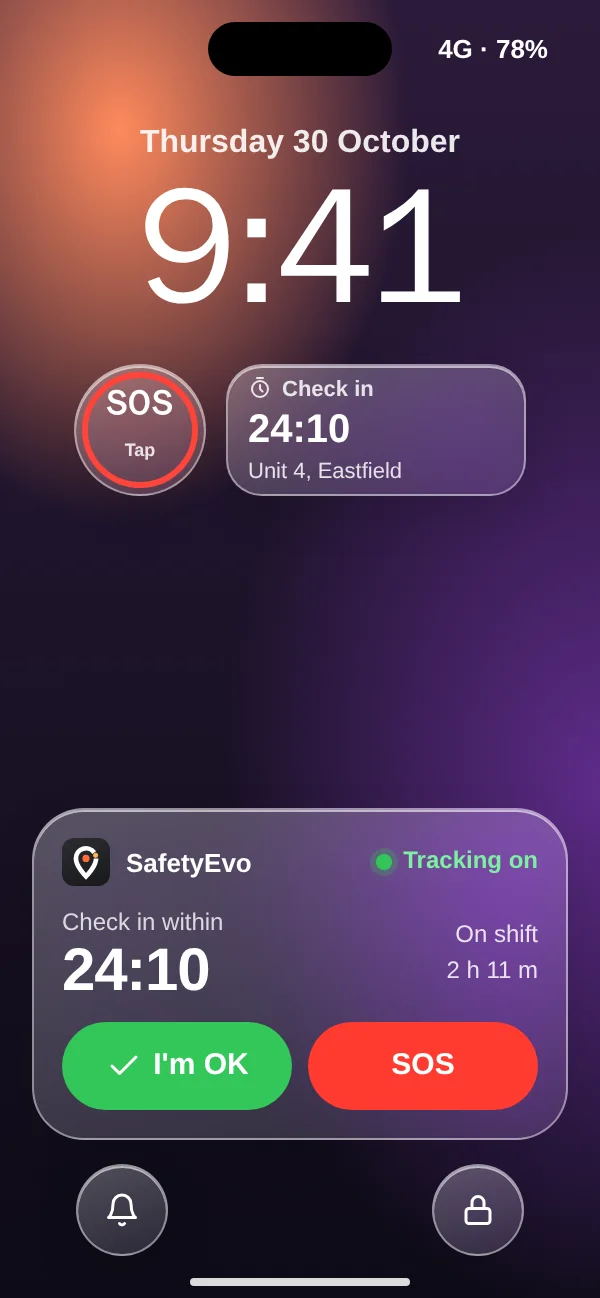
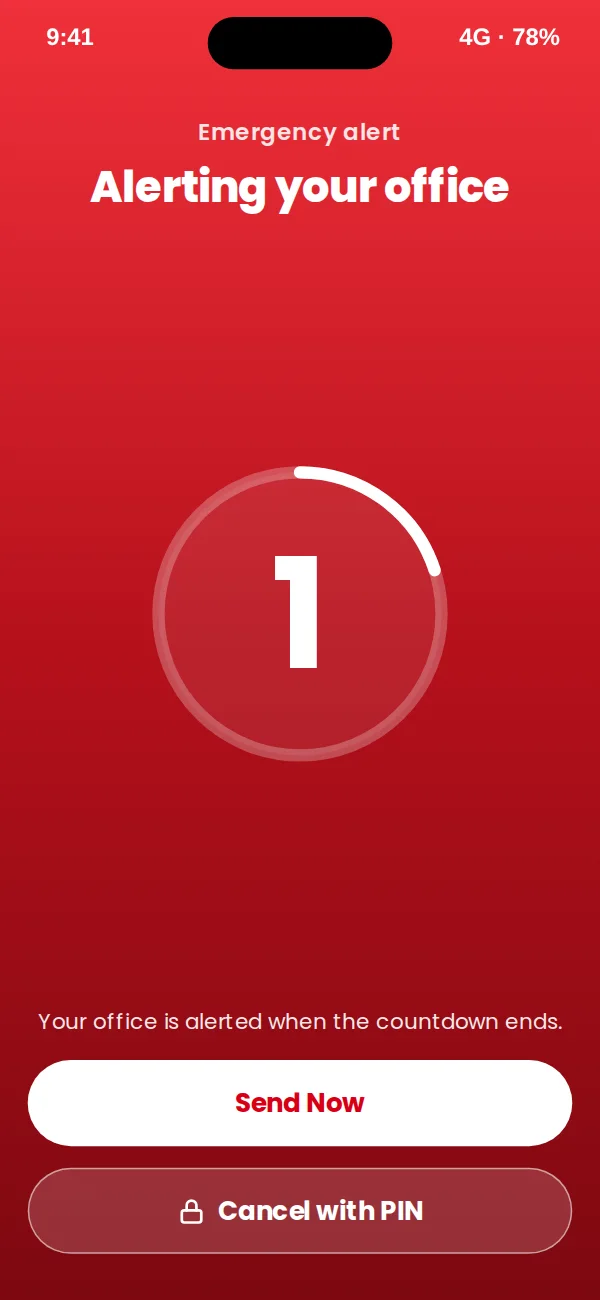
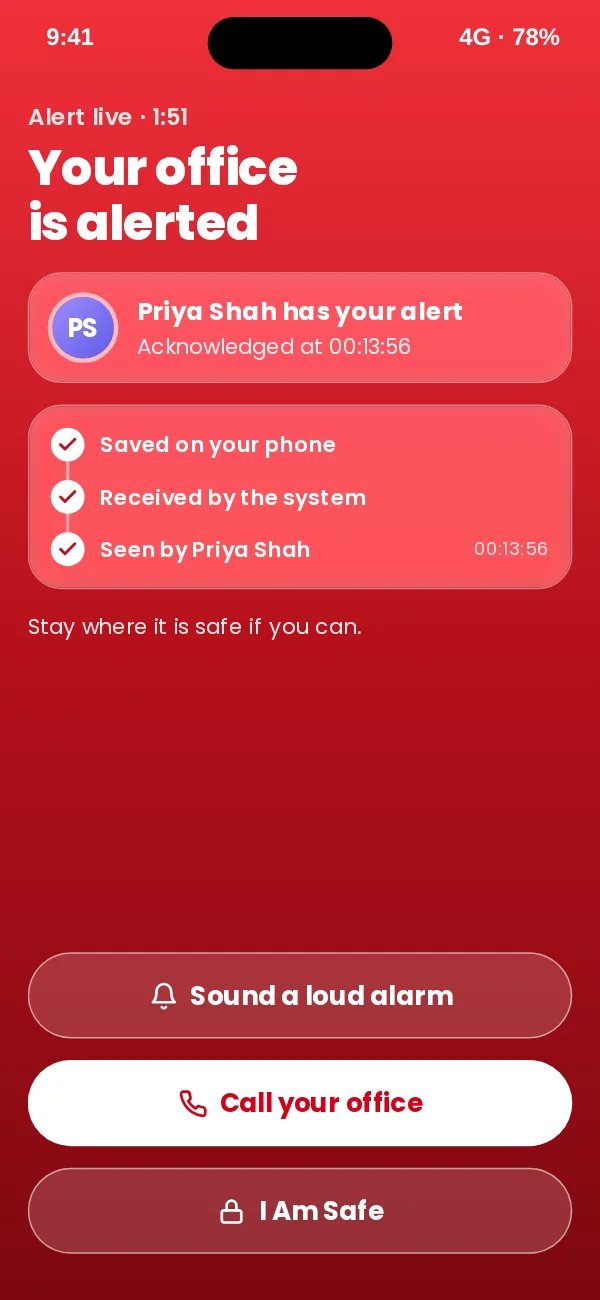
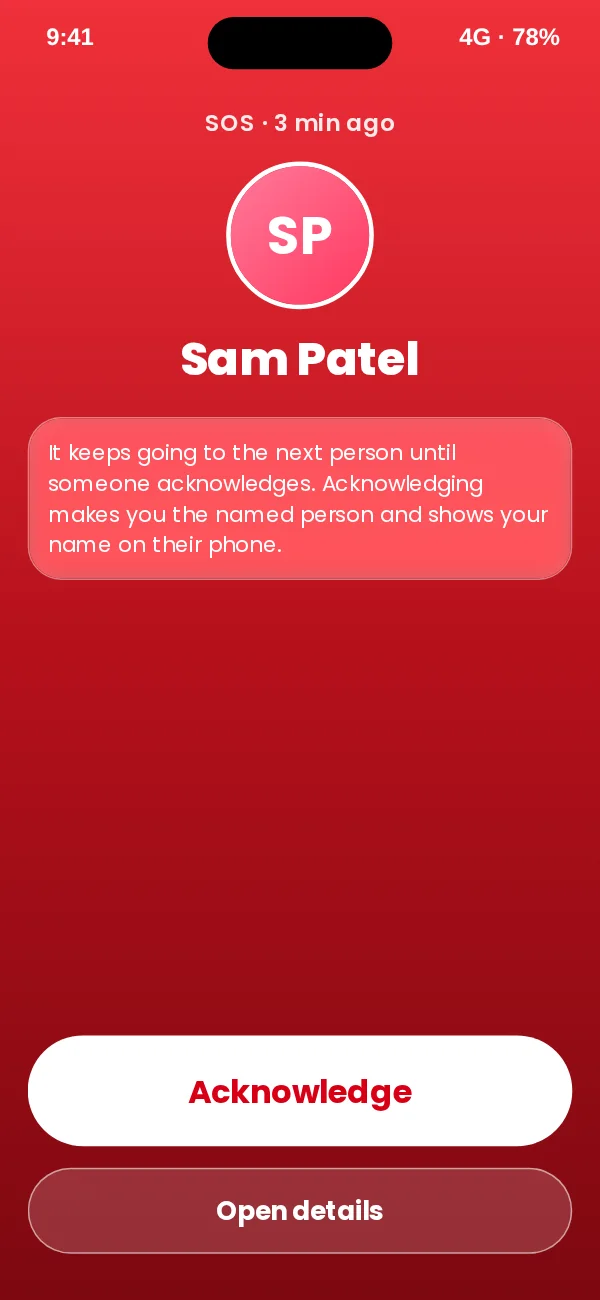
App design preview with sample names and data. See every screen or book a demo.
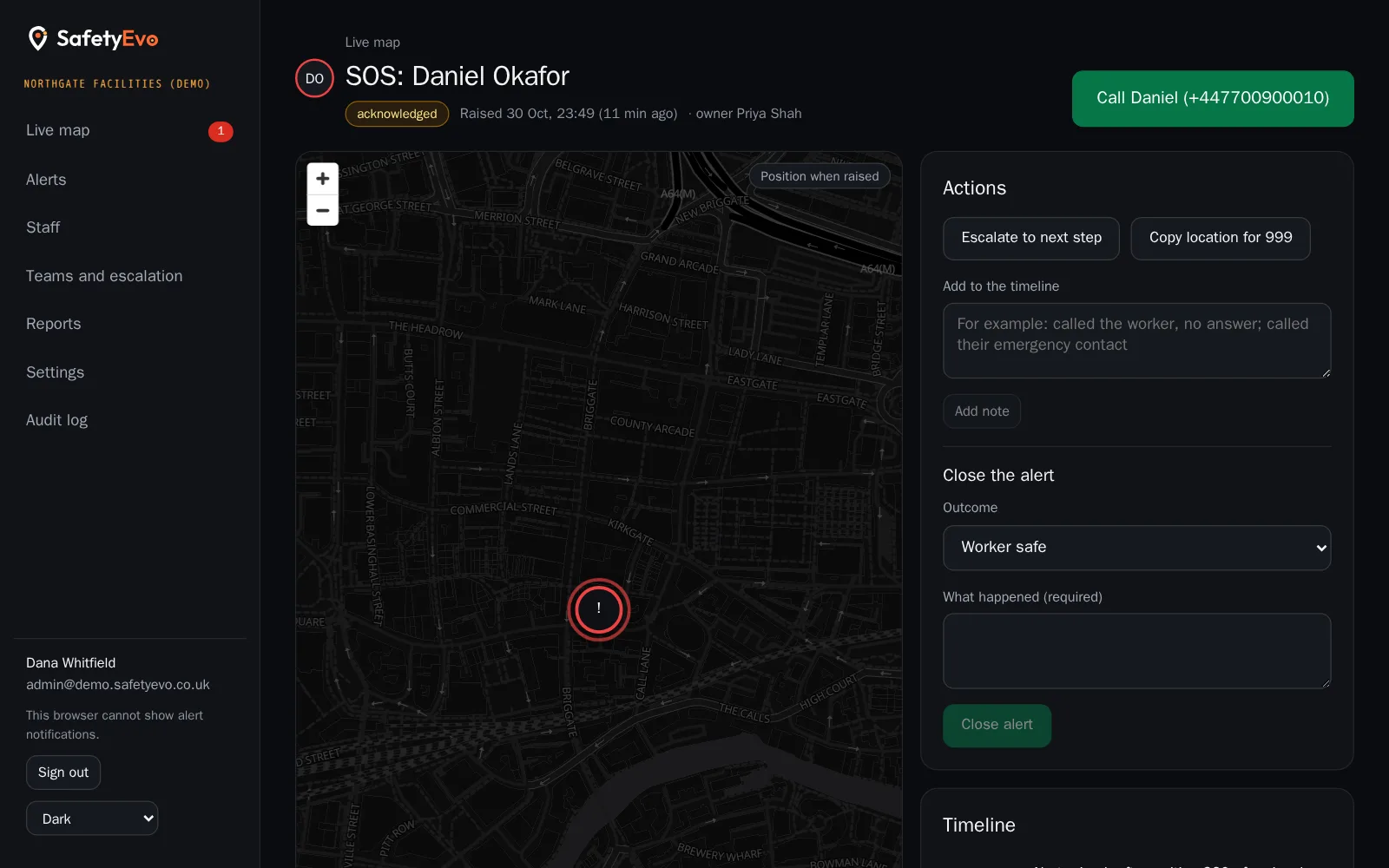
In the office console
The same moment on the office screen, with a demo company and sample names.
Key benefits
- Duress PIN. A second PIN makes the screen say "cancelled" while your office is told the worker may be under threat.
- The worker knows help is engaged. Their screen shows Sent, Received and Acknowledged by, with the responder’s name.
- Honest wording. Staff are told their office is alerted. We never promise that the police will attend.
Where teams use it
Related
Frequently asked questions
What happens if there is no signal?
The SOS is stored on the phone and sent automatically as soon as the phone reconnects. It will not create duplicates however many times it retries.
Can staff cancel a false alarm?
Yes, with their PIN during the countdown. After sending, entering the PIN tells your office they are safe; a responder confirms by phone before closing.
What is a duress PIN?
A second PIN for when someone is forcing the worker to cancel. The phone shows the alarm as cancelled, but your office sees the alert flagged as duress and it keeps escalating.
Does SafetyEvo call 999?
No. Alerts go to your own team. Your responders decide what to do next, which may include calling 999 with the location the console provides.
See it working on your own phone.
Book a short demo and we will raise an alert together and follow it to a named person.