From the first alert to a closed, recorded incident
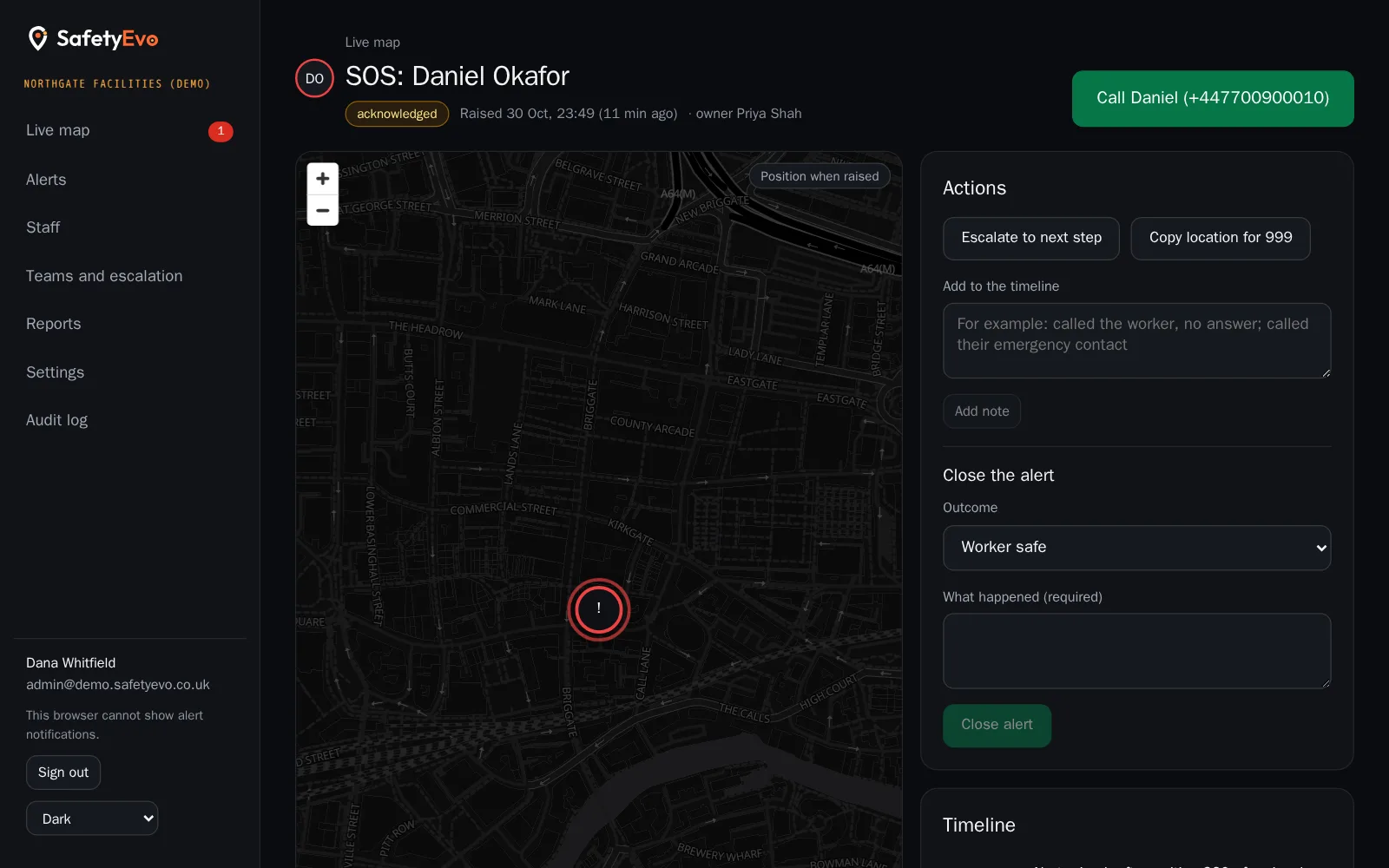
Alerts arrive in a queue in the office console, with sound, and keep sounding until someone takes them. Opening one shows the worker, the location on a map, their trail and live position, and every step taken so far.
Behind it, an escalation ladder that you design decides who is told, how, and when the alert moves on. The ladder runs on our servers, so a closed browser or a dead phone cannot stop it.
The problems it solves
Alerts that stall
If the first person does not answer, nothing happens.
Push notifications get muted
Focus modes and silent phones mean push alone cannot be trusted.
Records pieced together afterwards
Insurers and investigators want facts, not memories.
How it works
- 1
Design your ladder
Steps by role or named person, with push, text and call in order, for each team and for office hours or out of hours.
- 2
Alert escalates
Each step waits for acknowledgement, then moves on. After the last step it repeats until someone answers.
- 3
Acknowledge and act
Call the worker, add notes, escalate, copy the location for a 999 call.
- 4
Close with an outcome
Choose an outcome and write what happened. The record then locks.
In the app
What your staff and your office see.
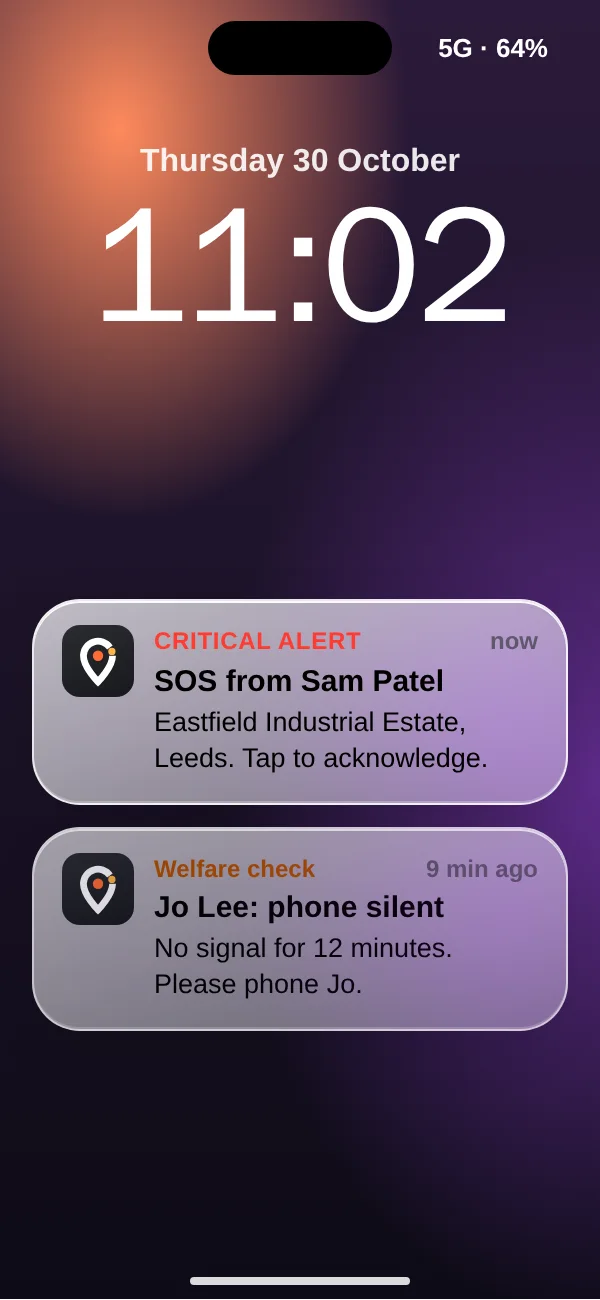
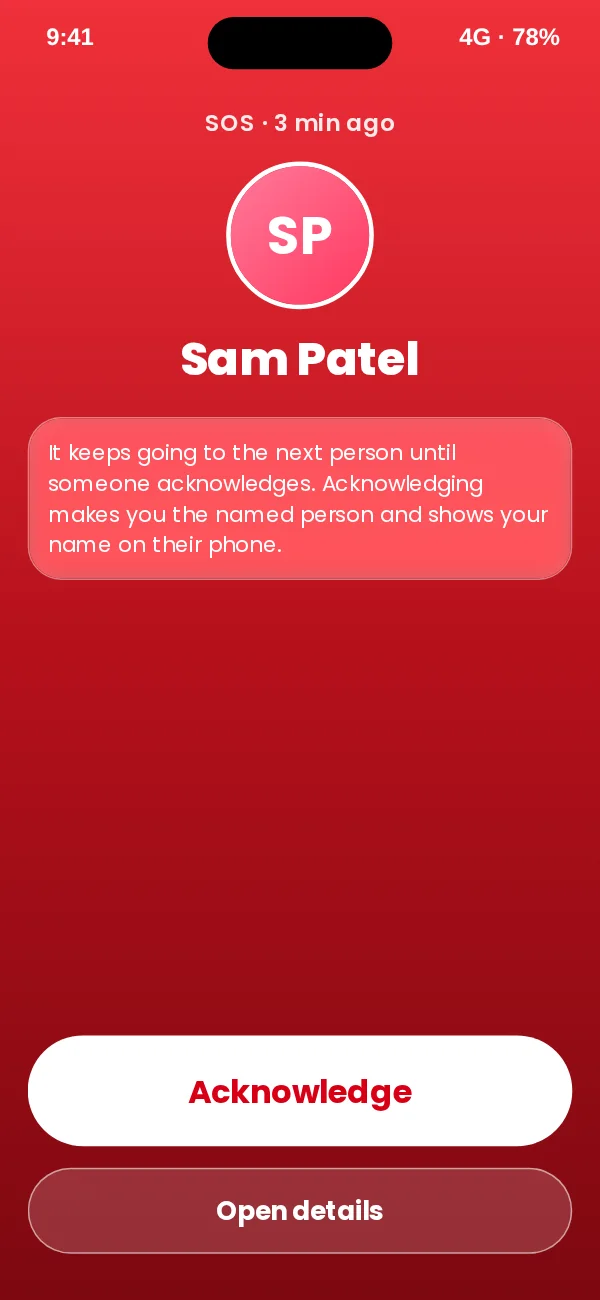
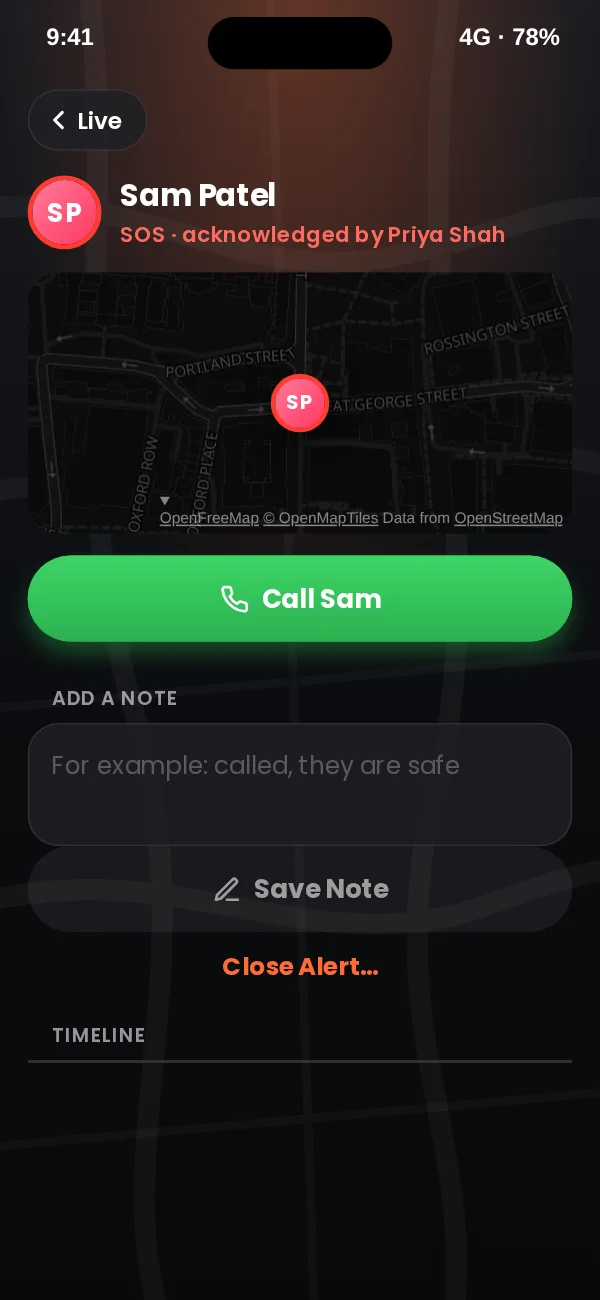
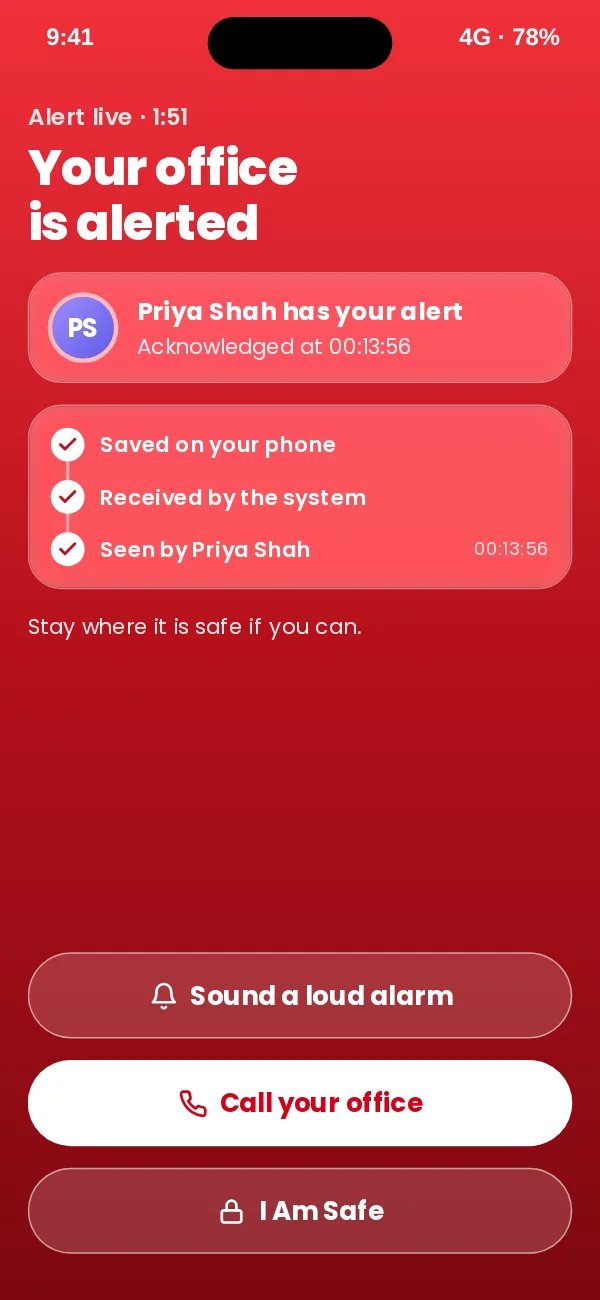
App design preview with sample names and data. See every screen or book a demo.
In the office console
The same moment on the office screen, with a demo company and sample names.
Key benefits
- Every message is logged. Each push, text and call is recorded with its step, recipient and whether it was sent.
- Append only timeline. The database refuses edits and deletions to the incident timeline.
- Duress handled carefully. A clear warning tells responders not to mention the alert when calling a worker under duress.
Where teams use it
Related
Frequently asked questions
What if nobody acknowledges?
The last step repeats until someone does. If a step has nobody to reach, it moves on at once, and if the last step has nobody, every admin is alerted.
Can ladders differ by team?
Yes, and by time of day. A team’s ladder takes priority over the company ladder.
Who can close an alert?
Responders, supervisors and admins. Closing records an outcome and notes, and the closer becomes the named owner if nobody acknowledged first.
See it working on your own phone.
Book a short demo and we will raise an alert together and follow it to a named person.