One app for your staff and your office.
Staff use it to start a shift, raise an SOS and check in, even from the lock screen. Responders and managers use the same app to see who is on shift and to take an alert wherever they are.
These screens are from the approved design, with sample names. The staff app is built and moving into phone testing. Office mode and the lock screen widget are in development, ahead of release on the App Store and Google Play.
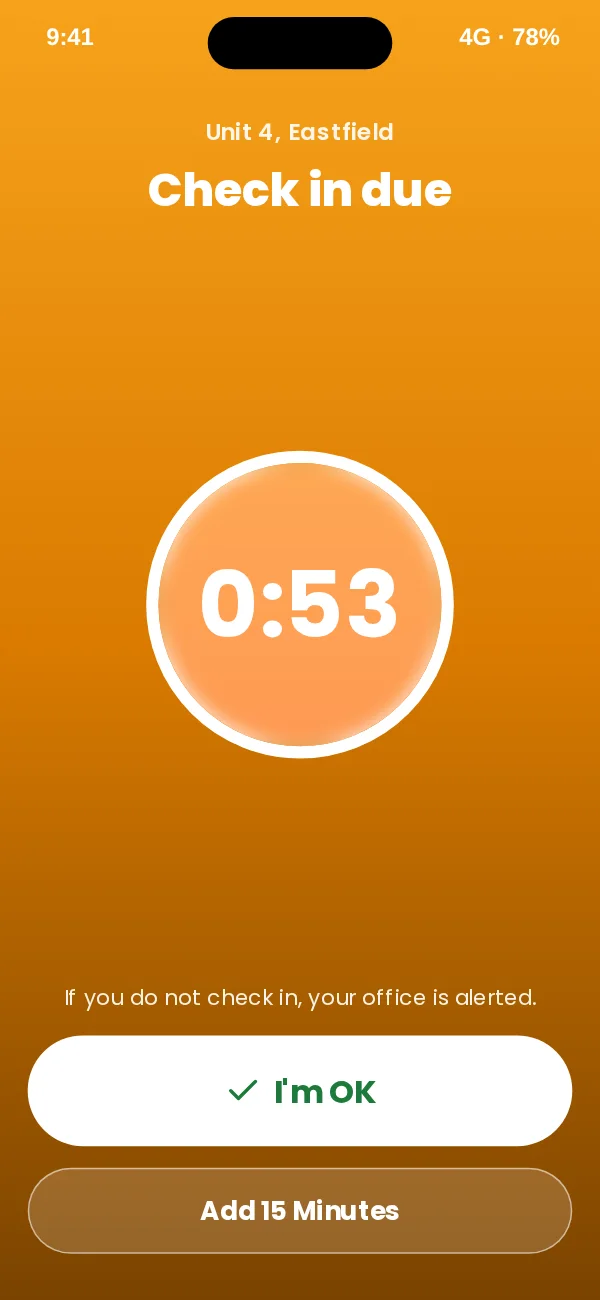
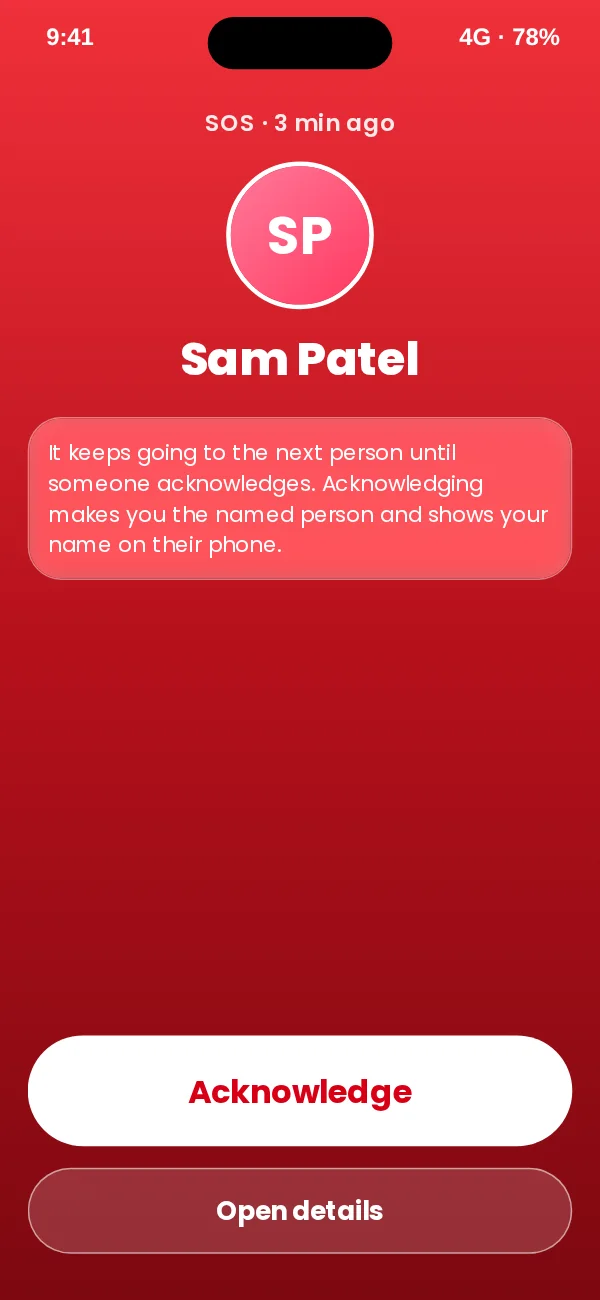
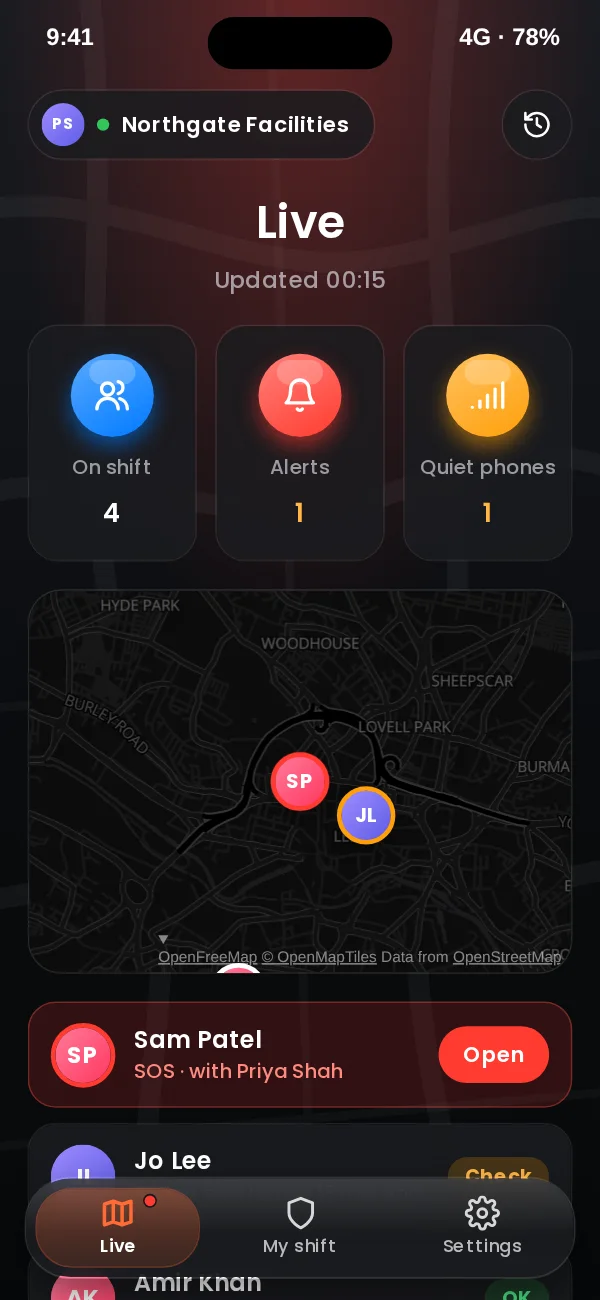
Built for someone who may have seconds.
One obvious thing to press. Colour always means the same thing: red is SOS, amber needs you, green is OK. Every state has words too, never colour alone.
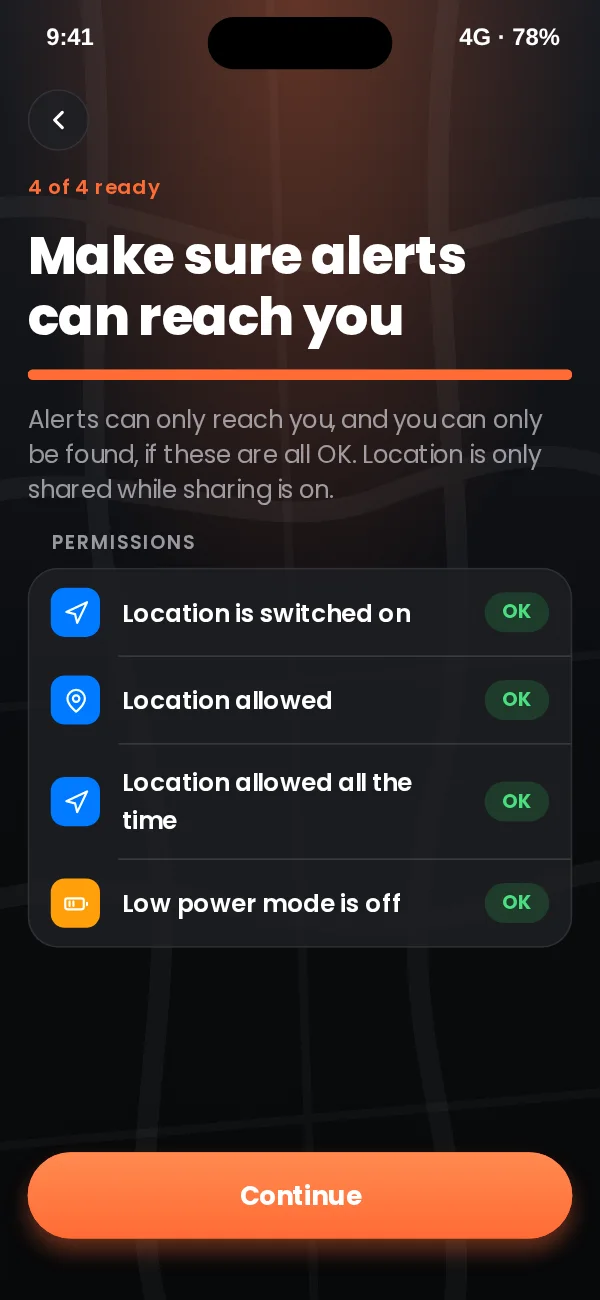
Ready before the shift starts
Staff sign in with the invite from their office. The app checks location, alerts and battery settings, and explains how to fix anything that would stop an alert getting through. A slide starts the shift, so tracking never starts by accident.
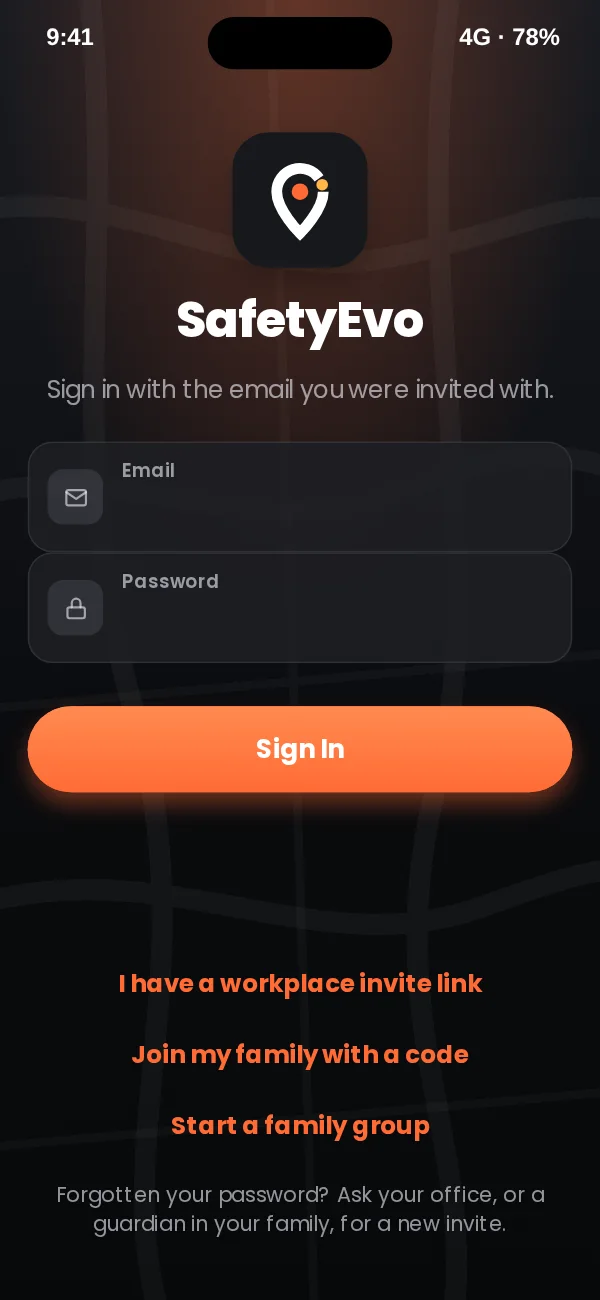
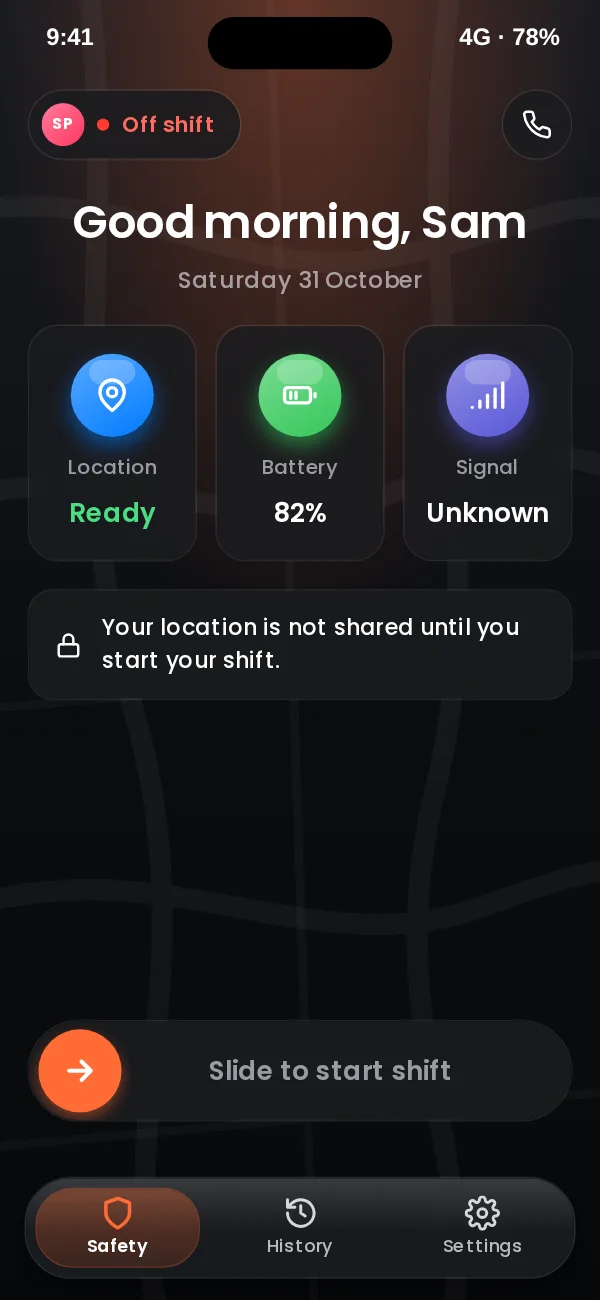
On shift, help is one press away
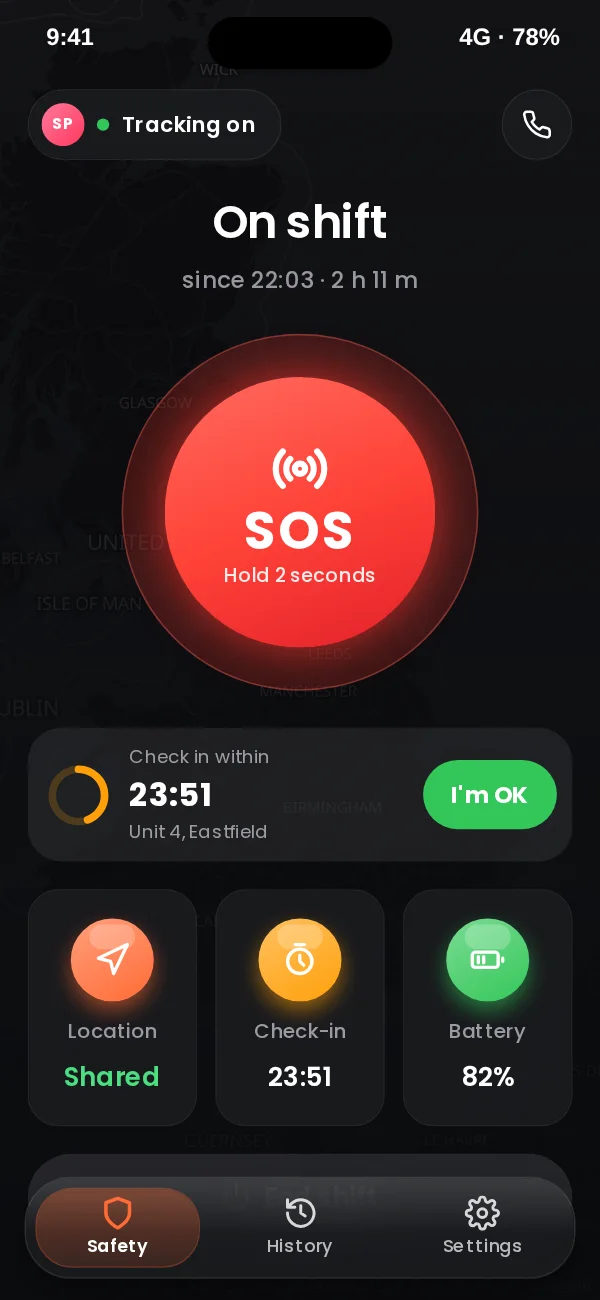
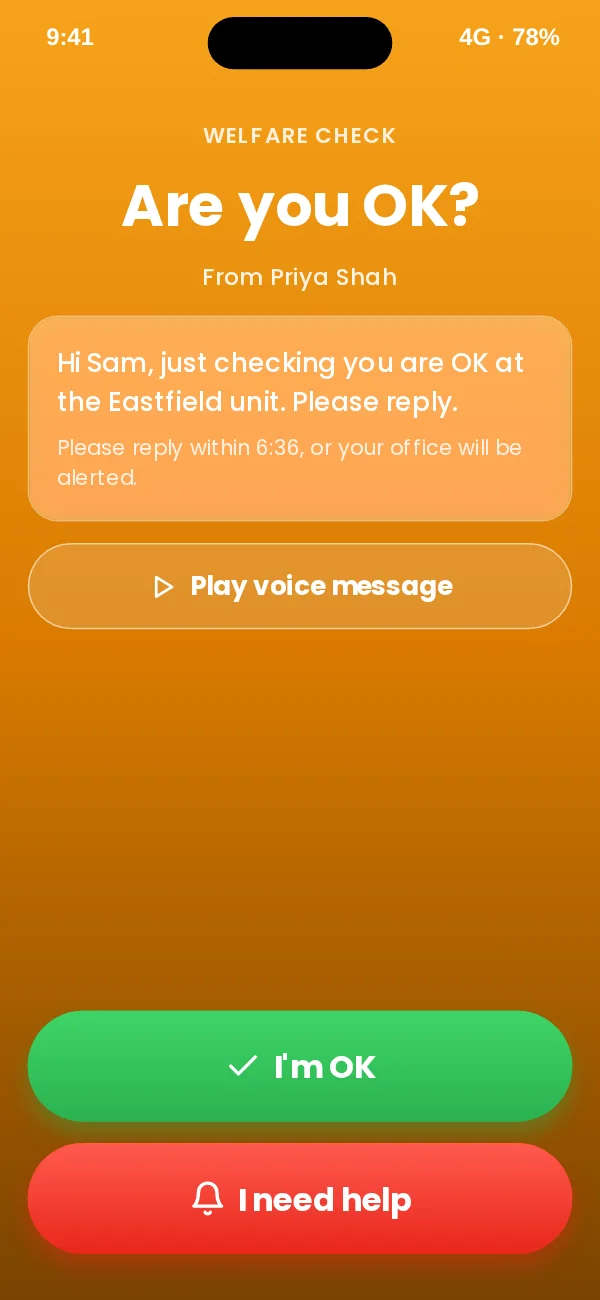
The screen shows that tracking is on, with a large SOS button in the middle and the check-in timer and a one-tap I’m OK beneath it. When the office sends a welfare check, the phone sounds and asks Are you OK?, with the office’s voice message if they recorded one.
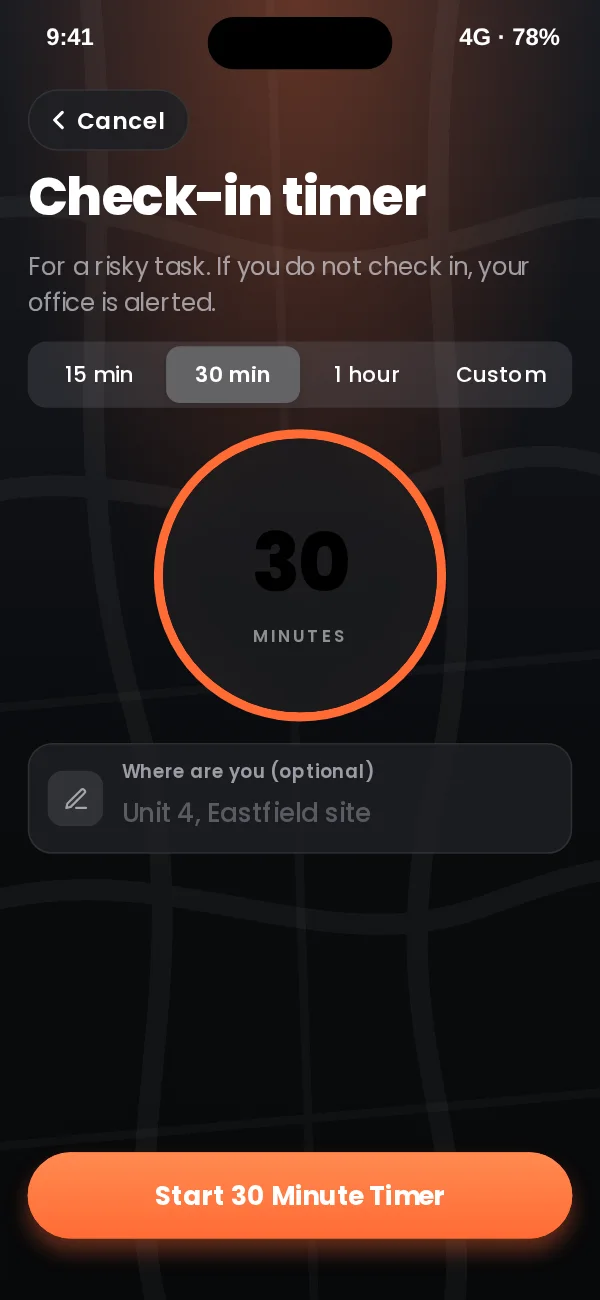
Without unlocking the phone
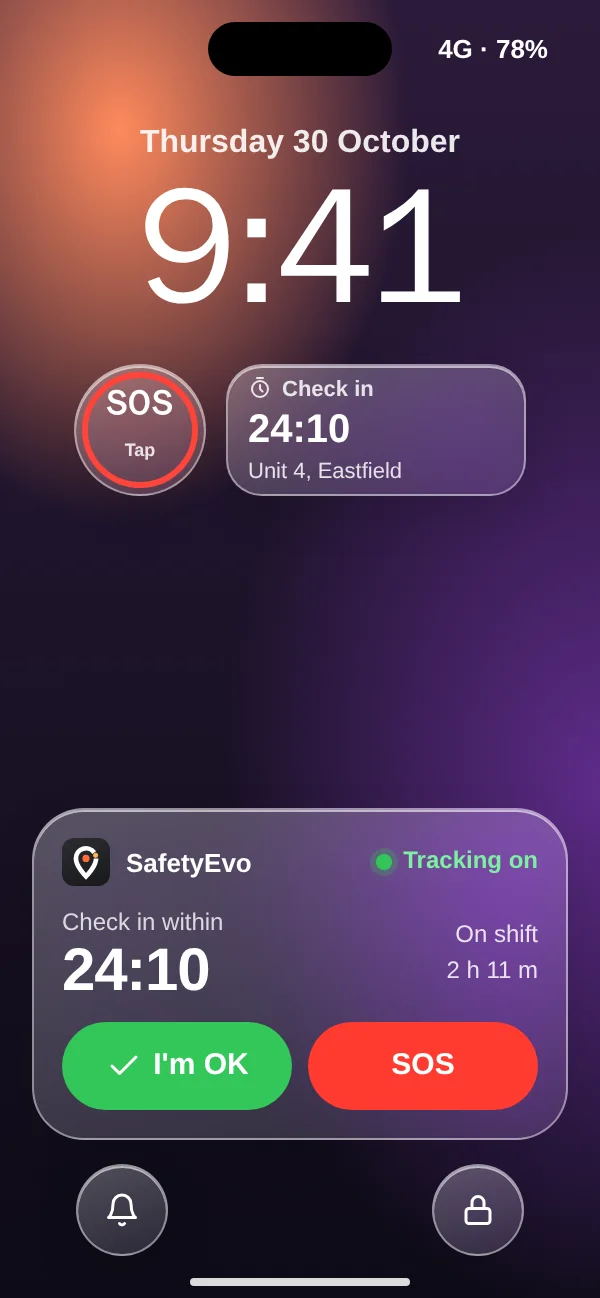
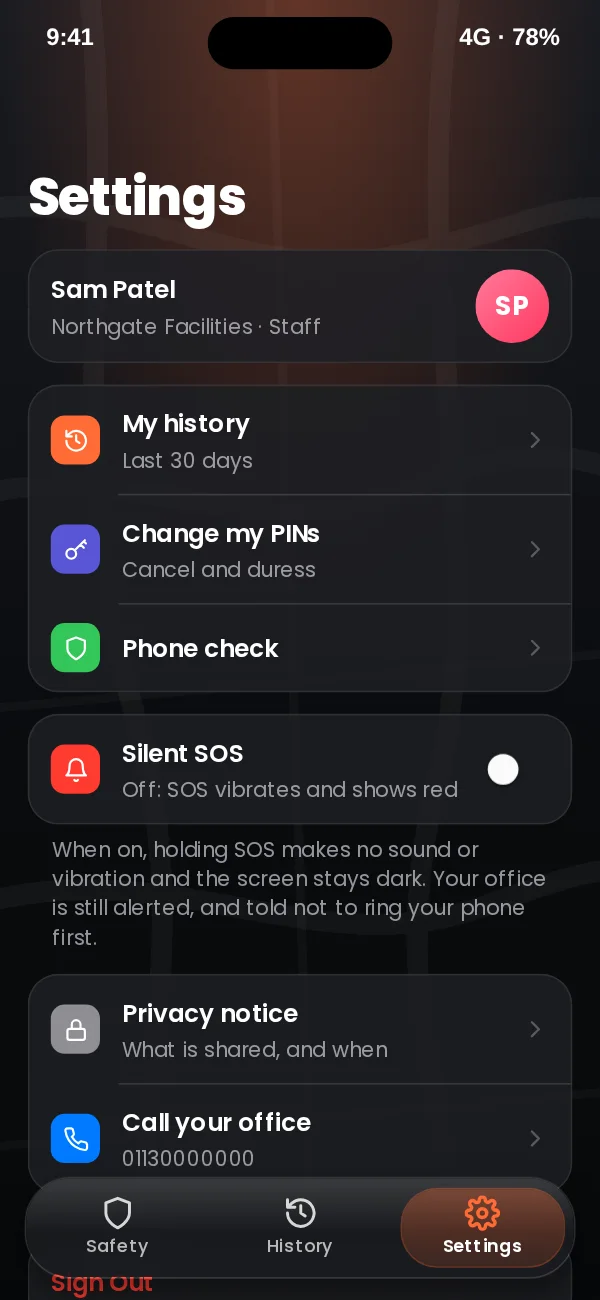
A lock screen widget and a live panel give SOS and I’m OK without unlocking. I’m OK checks in with one tap. SOS opens straight to a five second countdown, so a pocket press cannot send an alert on its own. On Android the same buttons sit on the shift notification.
When something goes wrong
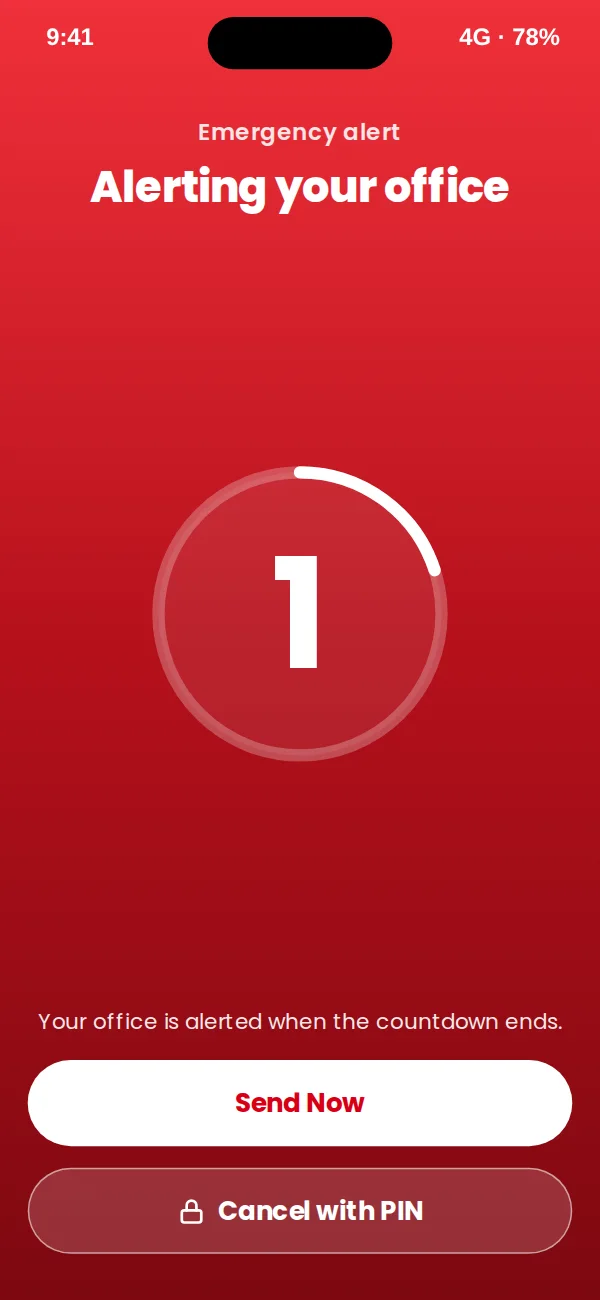
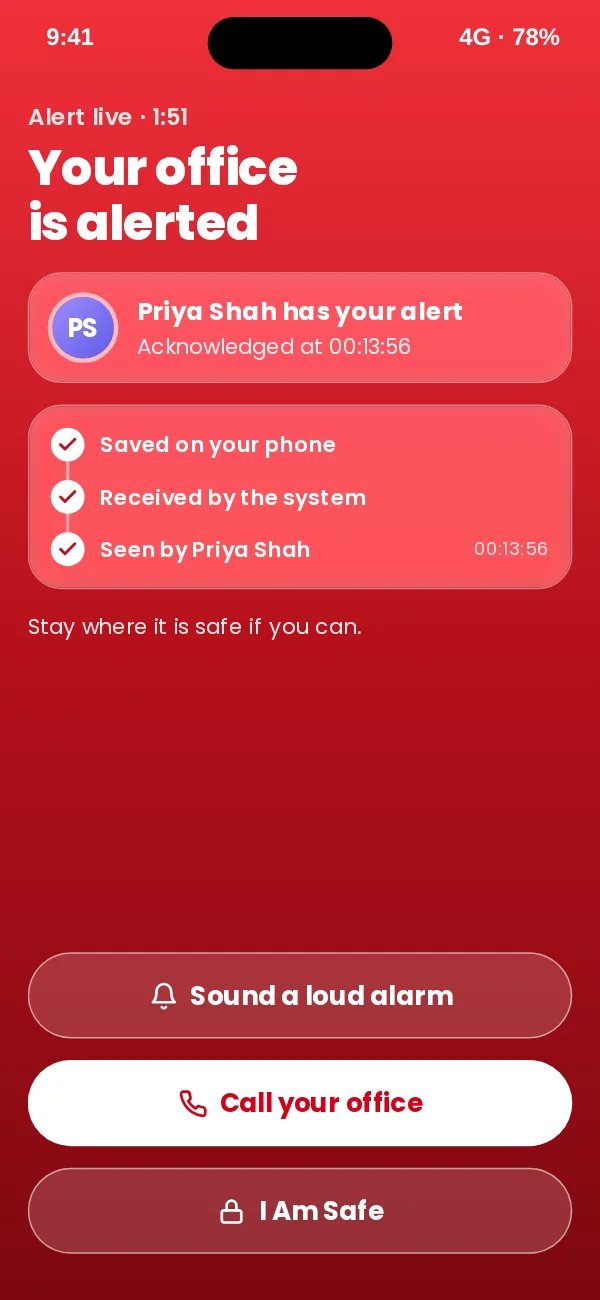
Hold SOS for two seconds, then a five second countdown that only the worker’s PIN can cancel. The screen then shows each step until a named person in the office has the alert. If a check-in is due, the whole screen turns amber with sound and vibration.
Their own record
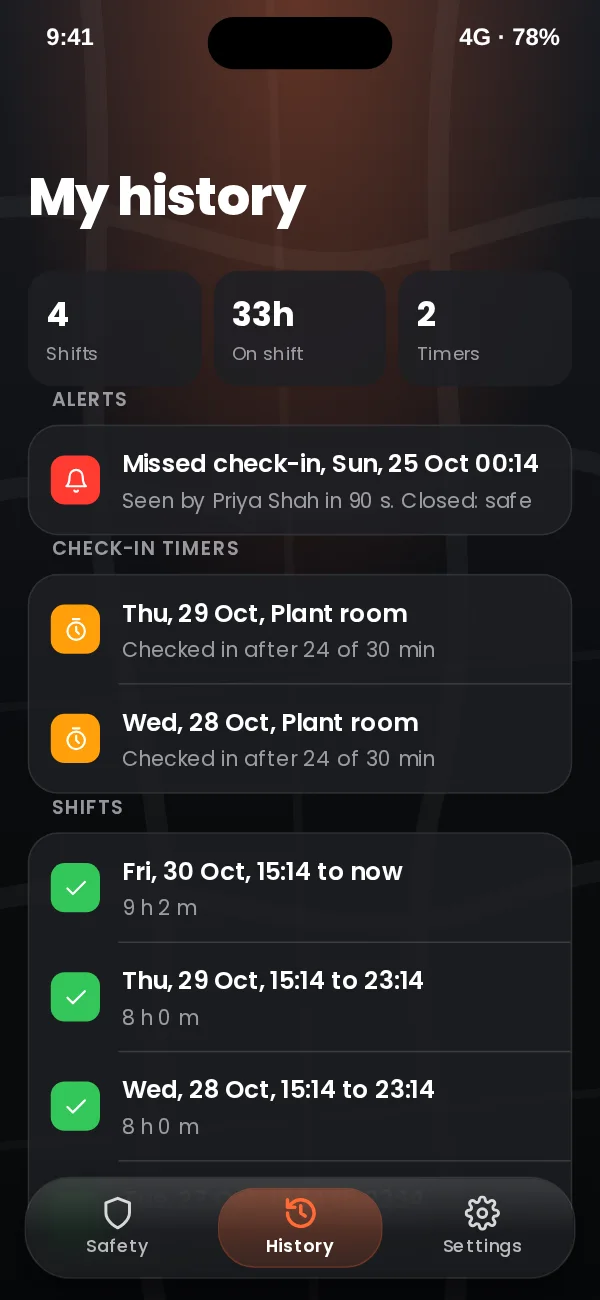
Staff can see their own shifts, timers and alerts for the last 30 days, change their PINs and read the privacy notice. They never see anyone else’s data.
The alert reaches a person, not just a screen.
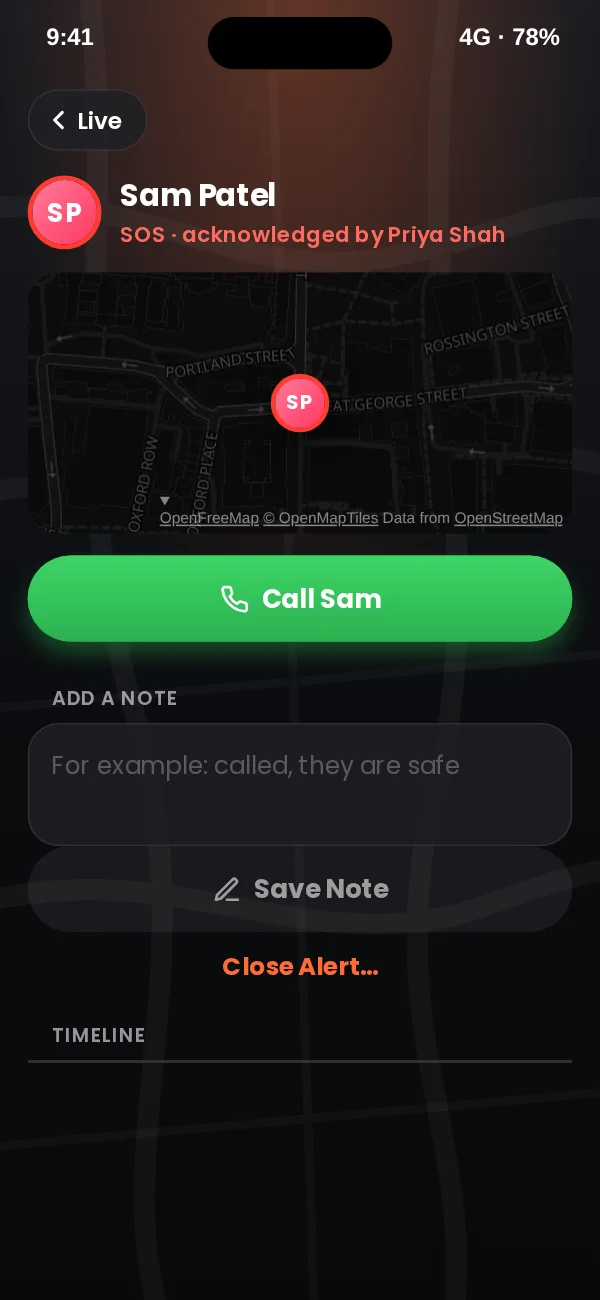
Responders, supervisors and admins sign in to the same app and get office mode. When an alert reaches their step of the ladder, their phone shows who, where, battery and signal, with Acknowledge and Call. Acknowledging makes them the named owner and shows their name on the worker’s phone.
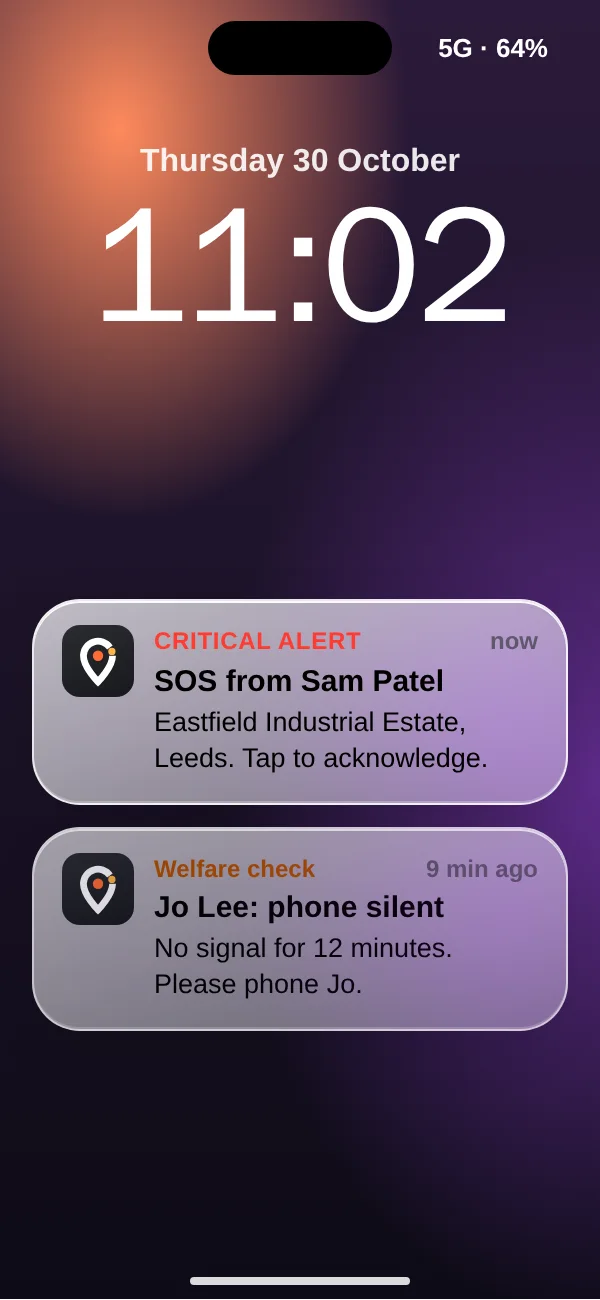
- Office alerts are designed to be hard to miss. On iPhone, sounding through silent mode needs Apple’s permission for critical alerts, which we will apply for before release.
- If a push is not answered, the ladder moves on by text message and an automated phone call.
- Staff appear on the map only while on shift. Every view of a location is written to the audit log, and sign-in uses two-step verification.
- The web console stays for desk work: reports, staff and escalation settings, and exports.
App design preview with sample names and data. Book a demo to see SafetyEvo working.
Questions about the app
Does it work on iPhone and Android?
Yes. SafetyEvo is one app for both, used on the phones your staff already carry.
Is anyone tracked when they are not working?
No. Location is shared only between Start shift and End shift, and the app always shows when it is on.
Can SOS be sent by accident?
SOS needs a two second hold in the app, then a five second countdown. From the lock screen it opens the countdown. The worker can cancel with their PIN, and a separate duress PIN looks like a cancel but quietly keeps the alert live.
What happens with no signal?
An SOS is saved on the phone and sent as soon as signal returns. Check-in timers run on our servers, so a missed check-in raises an alert even if the phone is off.
Who in the office gets the alert?
The people on your escalation ladder, in order, by push, then text message, then an automated phone call, until one of them acknowledges. Office mode puts those alerts, and the live map, on their phone.
Does it use facial recognition or fingerprints?
No. SafetyEvo does not use biometrics, and SOS never needs a password or a face scan.
See the app and the office side together.
Book a short demo and we will raise an alert and follow it to a named person.