Records you can rely on when someone asks what happened
Every alert in SafetyEvo has a timeline that records each step automatically: when it was raised, who was told, by which channel, who acknowledged and how it ended. The timeline can be added to but never changed.
Alongside it, an audit log records every sign in, every view of a location and every action in the console, with who, when and from where.
The problems it solves
Gaps in the record
Phone calls and texts leave no reliable trail.
Proving the system works
You need evidence that alerts are answered, not just that an app was installed.
How it works
- 1
Recorded as it happens
No one has to remember to write anything down during an incident.
- 2
Outcome on close
Each closed alert has an outcome and notes from the responder.
- 3
Incident register
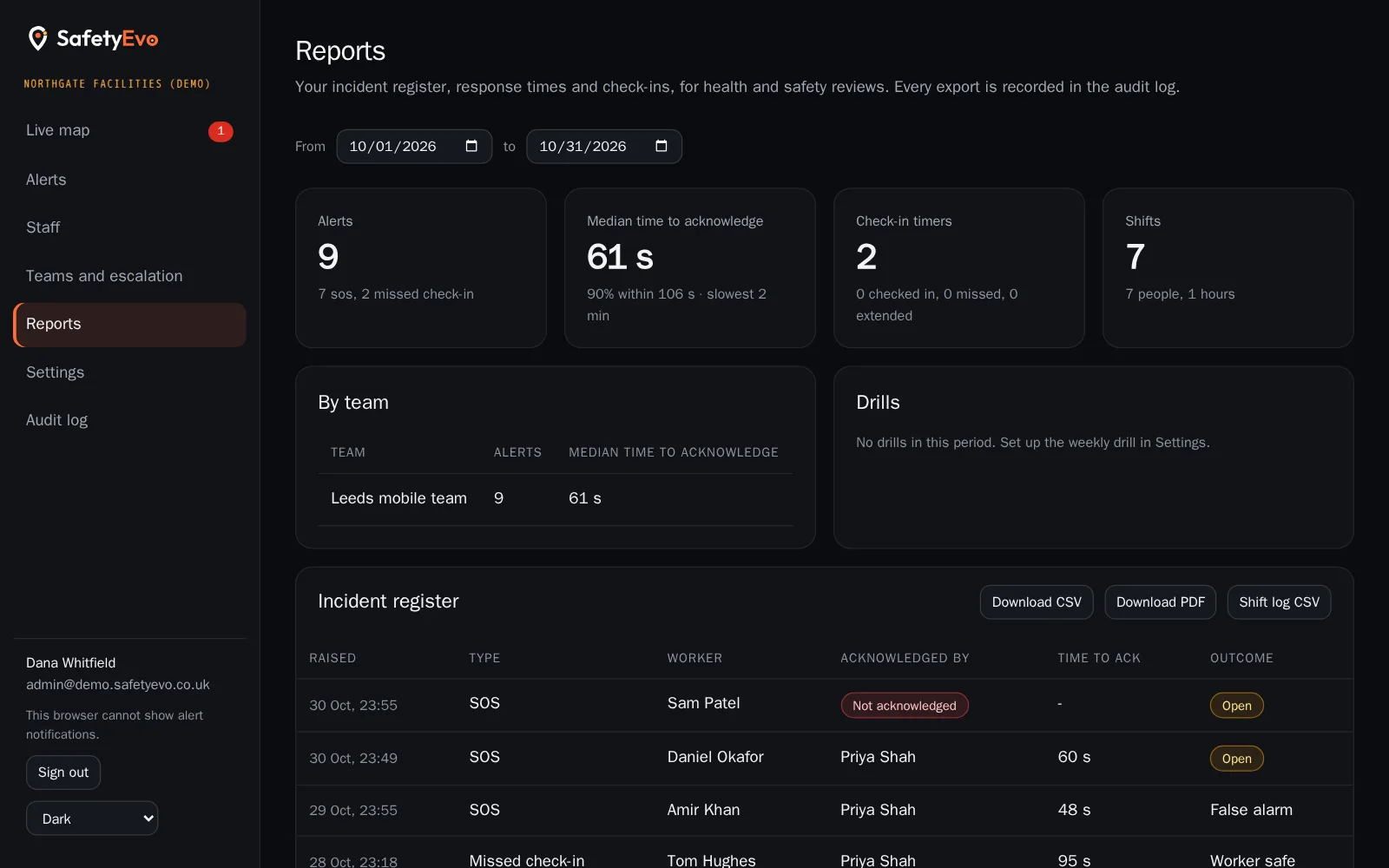
A list of every alert with its type, times and outcome, for your health and safety records.
- 4
Export
Download the register and response times for reviews, audits and insurers.
In the app
What your staff and your office see.
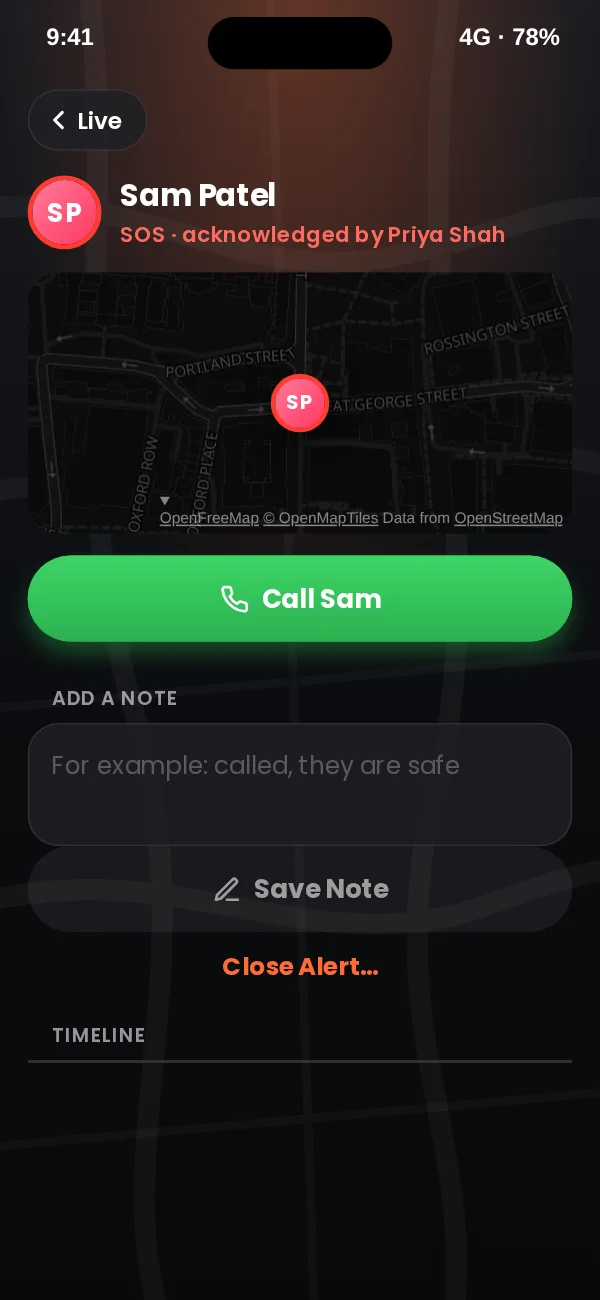
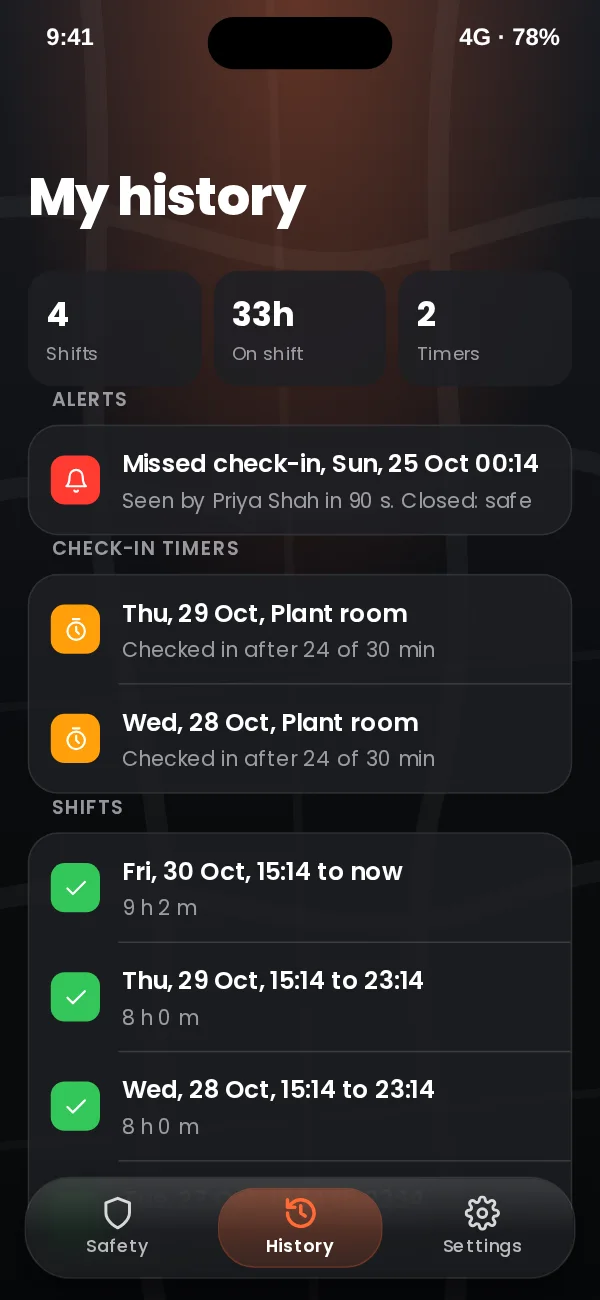
App design preview with sample names and data. See every screen or book a demo.
In the office console
The same moment on the office screen, with a demo company and sample names.
Key benefits
- Append only by design. The database itself refuses edits to timelines and the audit log.
- Response times. See how long alerts take to be acknowledged, by team.
- Weekly drill. A test alert checks that the whole chain works, with its own record.
Where teams use it
Related
Frequently asked questions
Can a timeline be edited after the event?
No. Notes can be added while an alert is open, but nothing can be changed or removed.
How long are records kept?
Location trails follow the retention period you set. Incident records are kept longer, in line with your policy.
See it working on your own phone.
Book a short demo and we will raise an alert together and follow it to a named person.