Check-in timers that raise the alarm even if the phone cannot
Some tasks carry more risk than others: a visit to a new customer, work in a confined plant room, a late finish on an empty site. A check-in timer covers exactly that stretch of time.
The worker picks 15, 30 or 60 minutes or their own length, adds a note such as "Unit 4, Eastfield site", and carries on. If they do not check in, our server raises the alert.
The problems it solves
A phone timer is only as good as the phone
If the app is closed or the battery dies, a timer on the phone simply stops.
Silence is ambiguous
Without a set time, nobody knows when to start worrying.
How it works
- 1
Set the timer
Choose a length and an optional note about where you are.
- 2
Reminder before it ends
Two minutes before, the phone shows a full screen alert with sound and vibration.
- 3
Check in or extend
One tap on "I am OK" or "Extend 15 minutes".
- 4
Missed check-in
After a short grace period that you set, the server opens an alert at the last known location and starts your ladder.
In the app
What your staff and your office see.
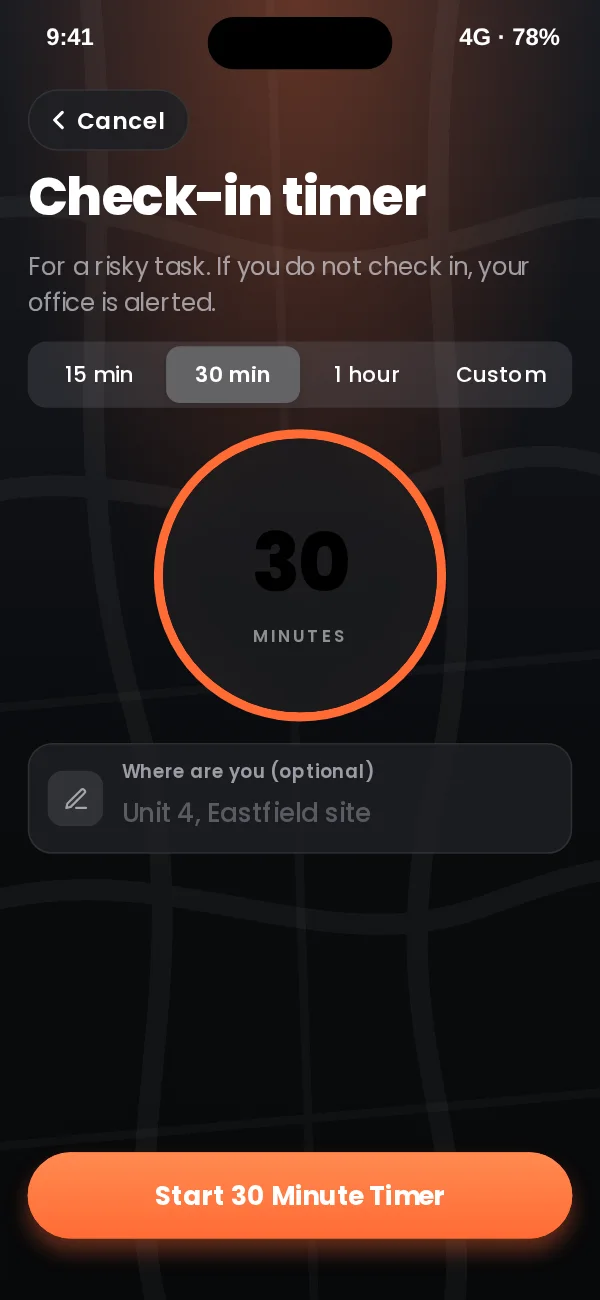
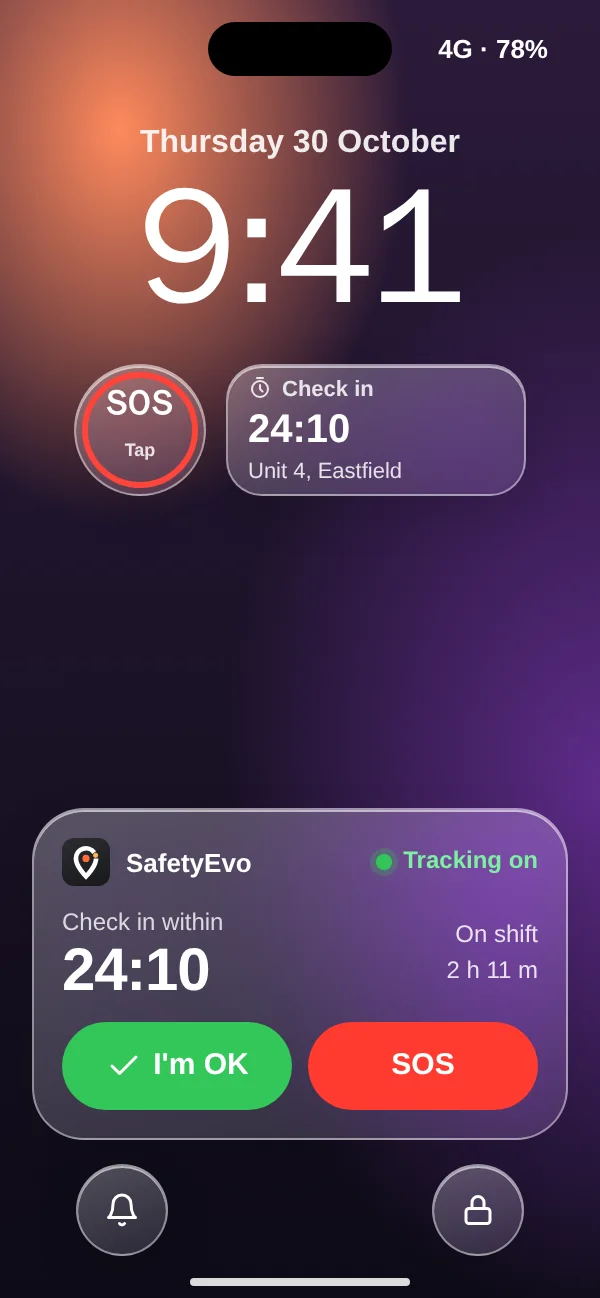
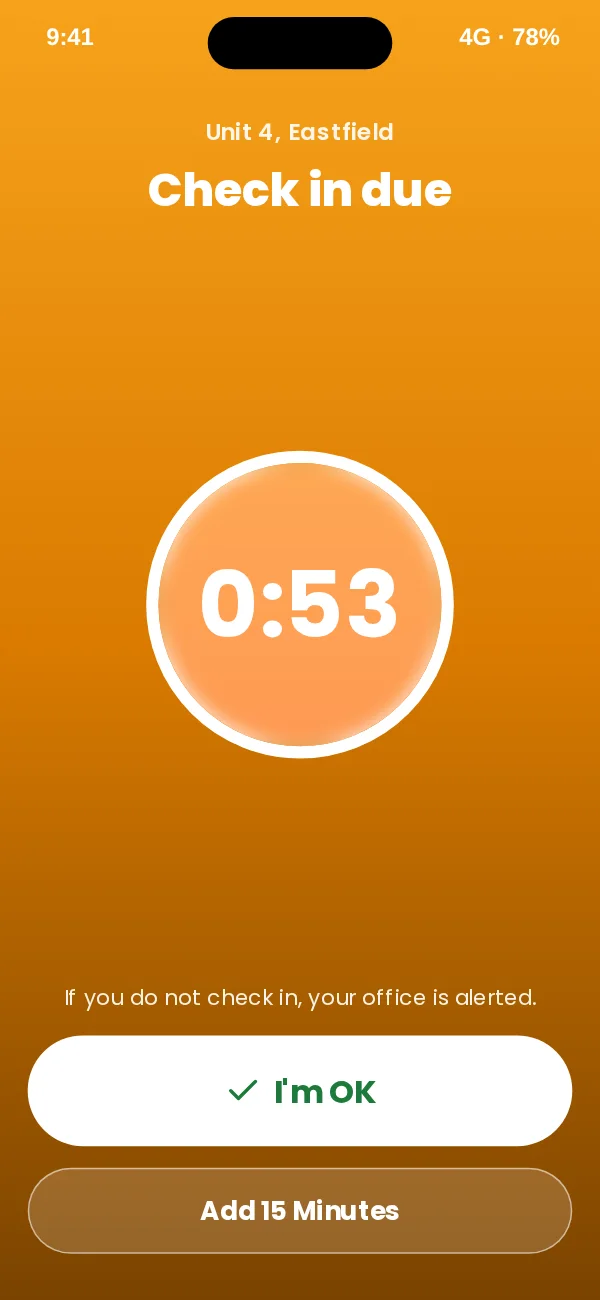
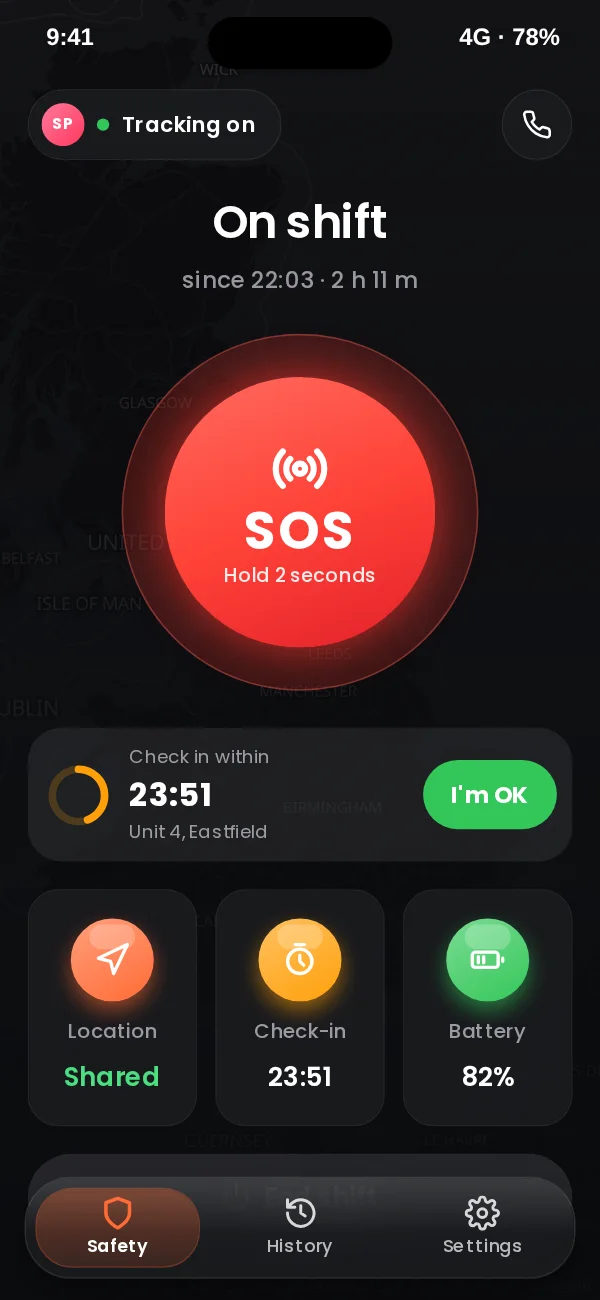
App design preview with sample names and data. See every screen or book a demo.
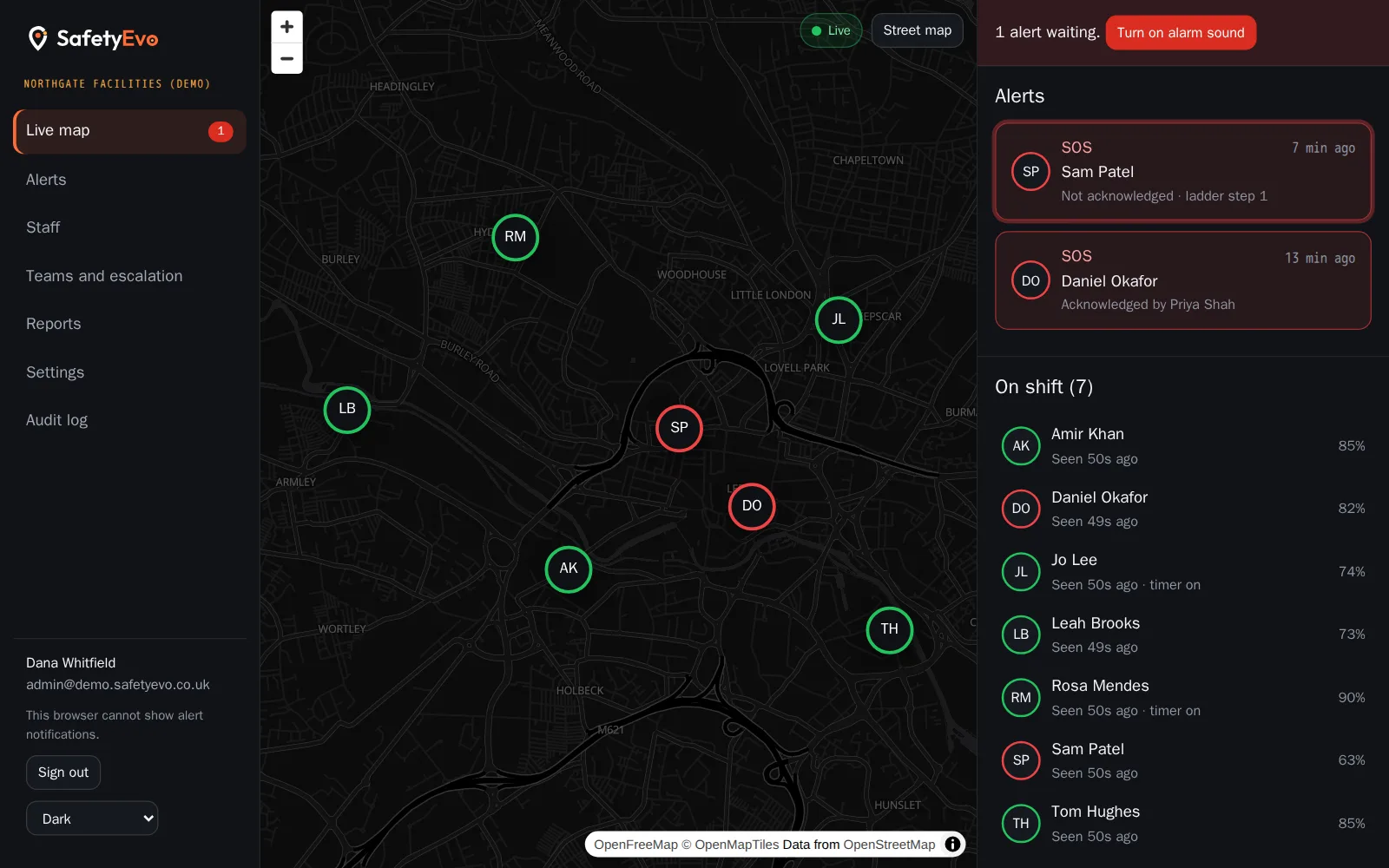
In the office console
The same moment on the office screen, with a demo company and sample names.
Key benefits
- Server side, not phone side. The timer lives on our servers, so a dead phone still raises the alarm.
- The note travels with the alert. Responders see where the worker said they would be.
- Late check-ins are recorded. If someone checks in after the alert, the timeline shows it and a responder closes the alert.
Where teams use it
Related
Frequently asked questions
How long can a timer run?
From one minute up to twelve hours. Most teams use 15, 30 or 60 minutes.
What if the worker is just running late?
They can extend the timer from the reminder screen. If the alert has already gone, they can still check in and the responder will see that on the timeline.
Does ending a shift cancel the timer?
Yes. A timer cannot outlive the shift it belongs to.
See it working on your own phone.
Book a short demo and we will raise an alert together and follow it to a named person.