Every shift. Every worker. Connected to help.
SafetyEvo gives people who work alone a one-touch SOS, check-in timers and location sharing during their shift, and gives your office a live view that escalates every alert until a named person responds. Staff attendance and workforce management are on the way.
One platform for the whole working day.
Start with lone worker safety today. Add attendance and workforce management as they arrive, on the same app and the same shifts.
Lone worker safety
SOS, check-in timers, GPS during shifts, welfare monitoring, escalation and incident records.
→Coming soonStaff attendance
Clock-in and clock-out from the same shift, with attendance records. No biometrics.
→Coming soonWorkforce management
Rotas and on-call cover that feed straight into your escalation ladders.
→Four steps through every shift.
- 1
Start shift
One tap. Location sharing begins and the app shows it is on.
- 2
Activate protection
SOS one press away. A check-in timer for any risky task.
- 3
Stay connected
A heartbeat every minute. Silence, SOS or a missed check-in opens an alert.
- 4
Finish shift
Tracking stops. Every alert and response stays on record.
Built for the moment something goes wrong.
One-touch SOS
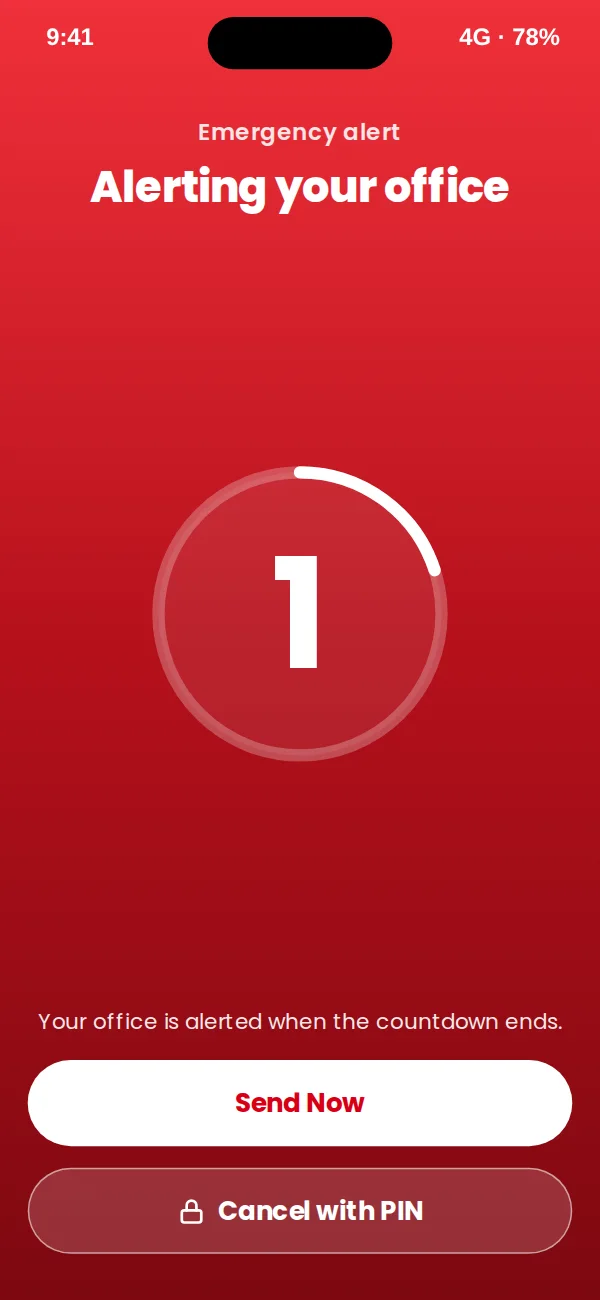
Hold for two seconds. A short countdown stops pocket presses, a duress PIN covers the moment someone is forced to cancel, and an SOS raised with no signal lands once when it reconnects.
More about one-touch sos →GPS safety monitoring
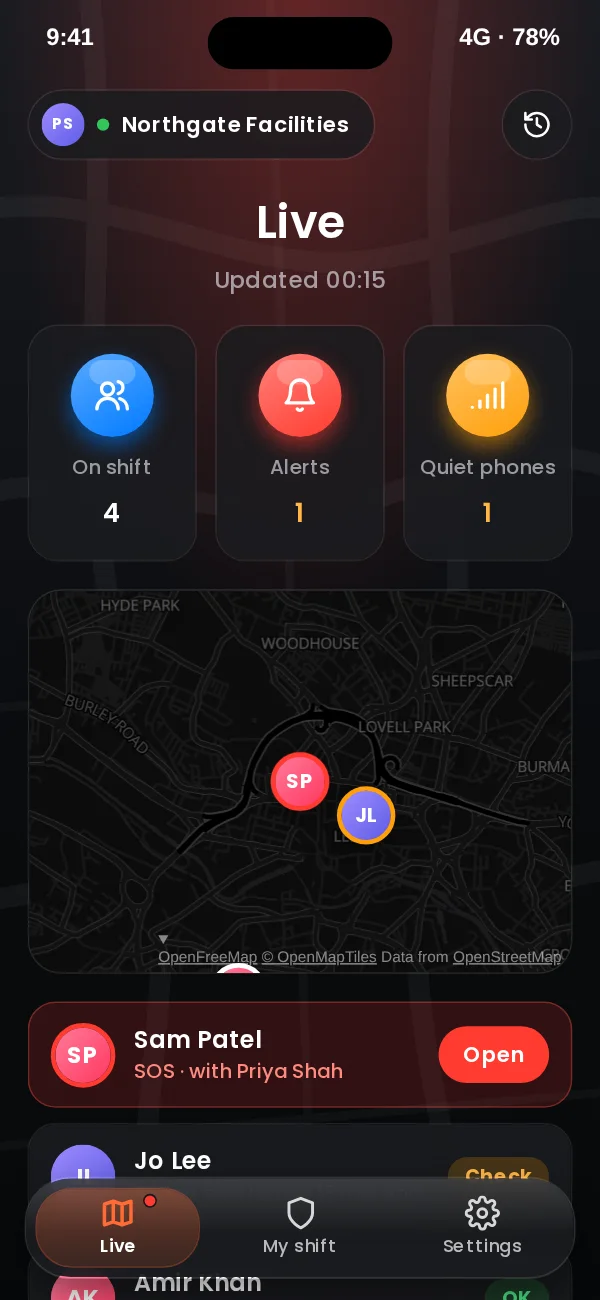
Your office sees each worker on a live map, with their photo, battery and last contact. Only during the shift, always visible to the worker, and every view recorded.
More about gps safety monitoring →Welfare check-ins
A timer for each risky task. If the worker does not check in, our server raises the alarm, even when their phone is dead.
More about welfare check-ins →Smart escalation
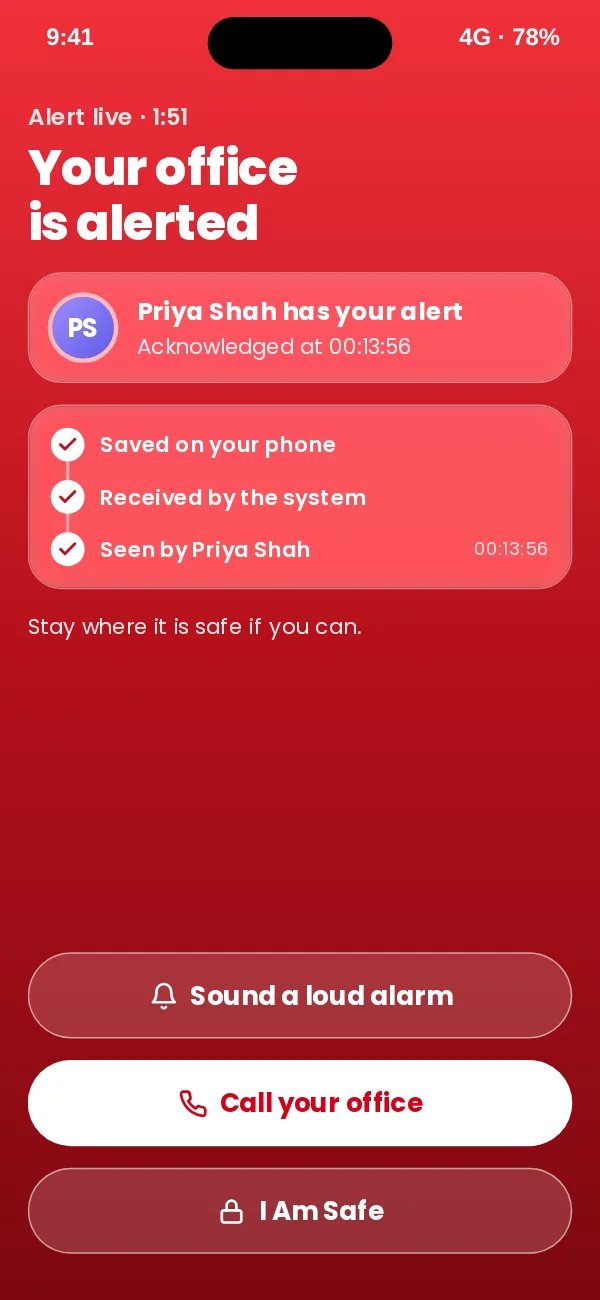
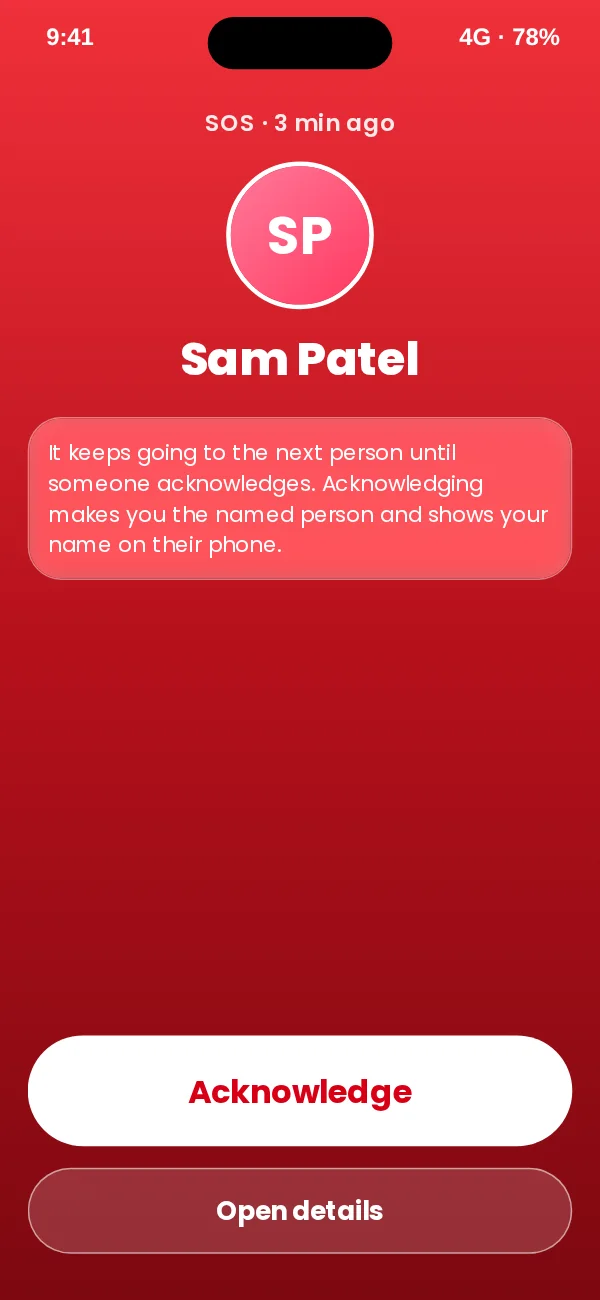
Ladders by team and time of day. Push, then text, then a call, moving on until a named person acknowledges.
More about smart escalation →Clock-in and clock-out
Attendance records from the same shift that keeps people safe. In development: register your interest.
Register interest →Simple enough to use in a hurry.
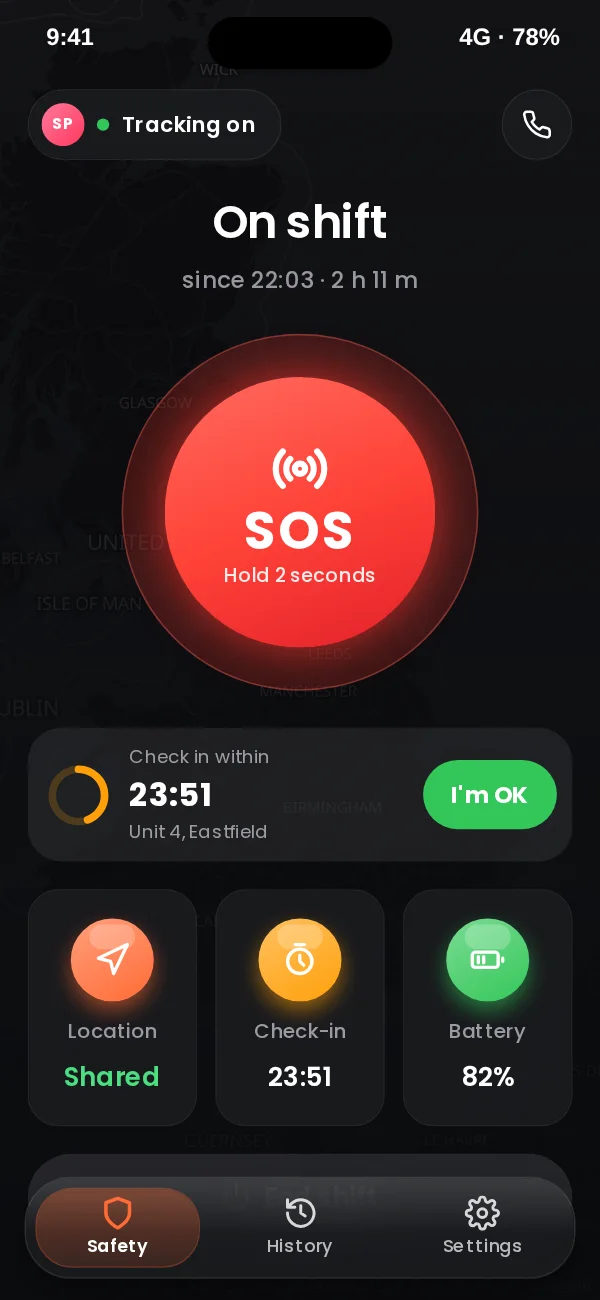
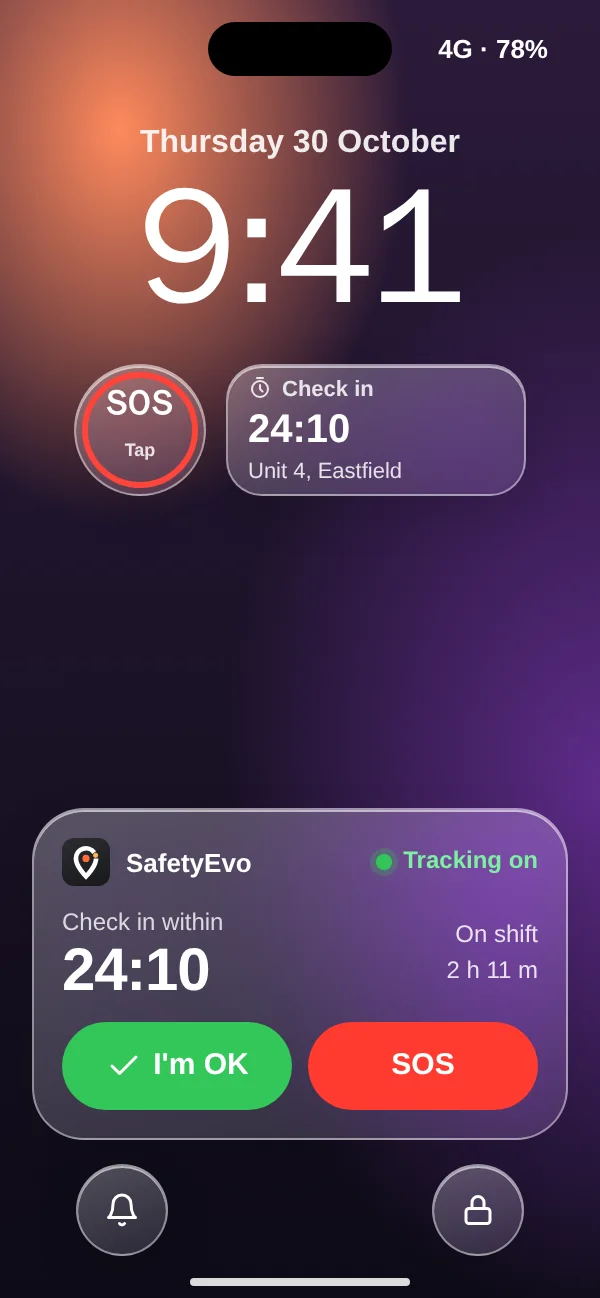
One app for staff and the office. SOS and check-ins from the home screen or the lock screen, and alerts that reach a named person on their own phone.
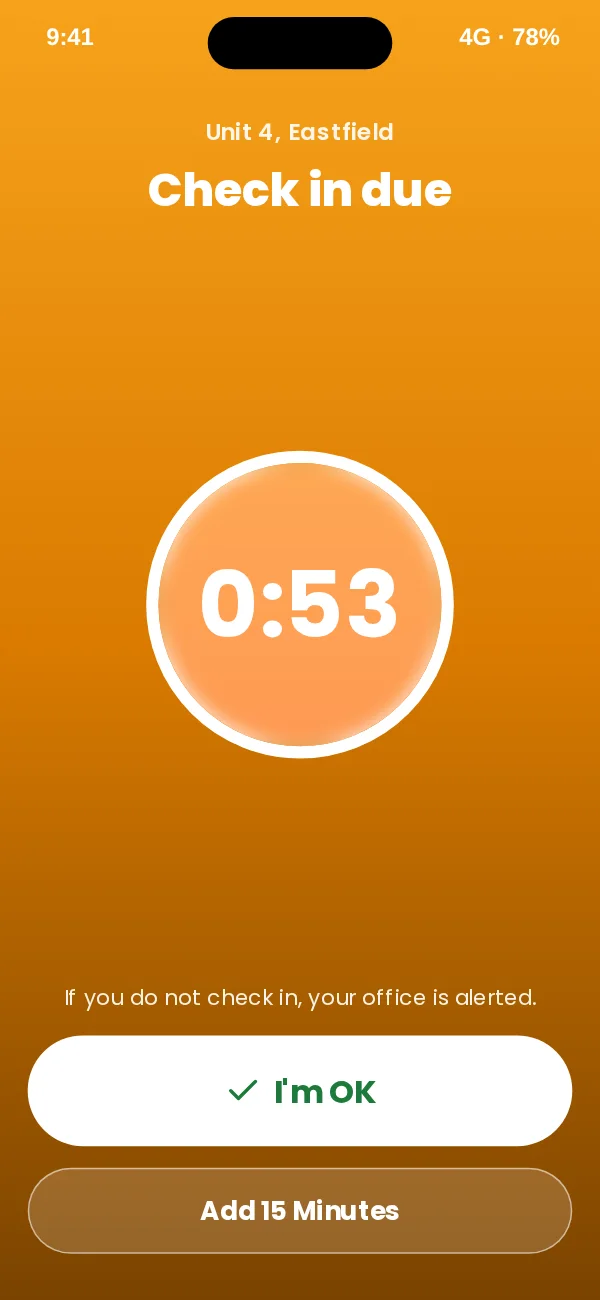
App design preview with sample names and data. Book a demo to see SafetyEvo working.
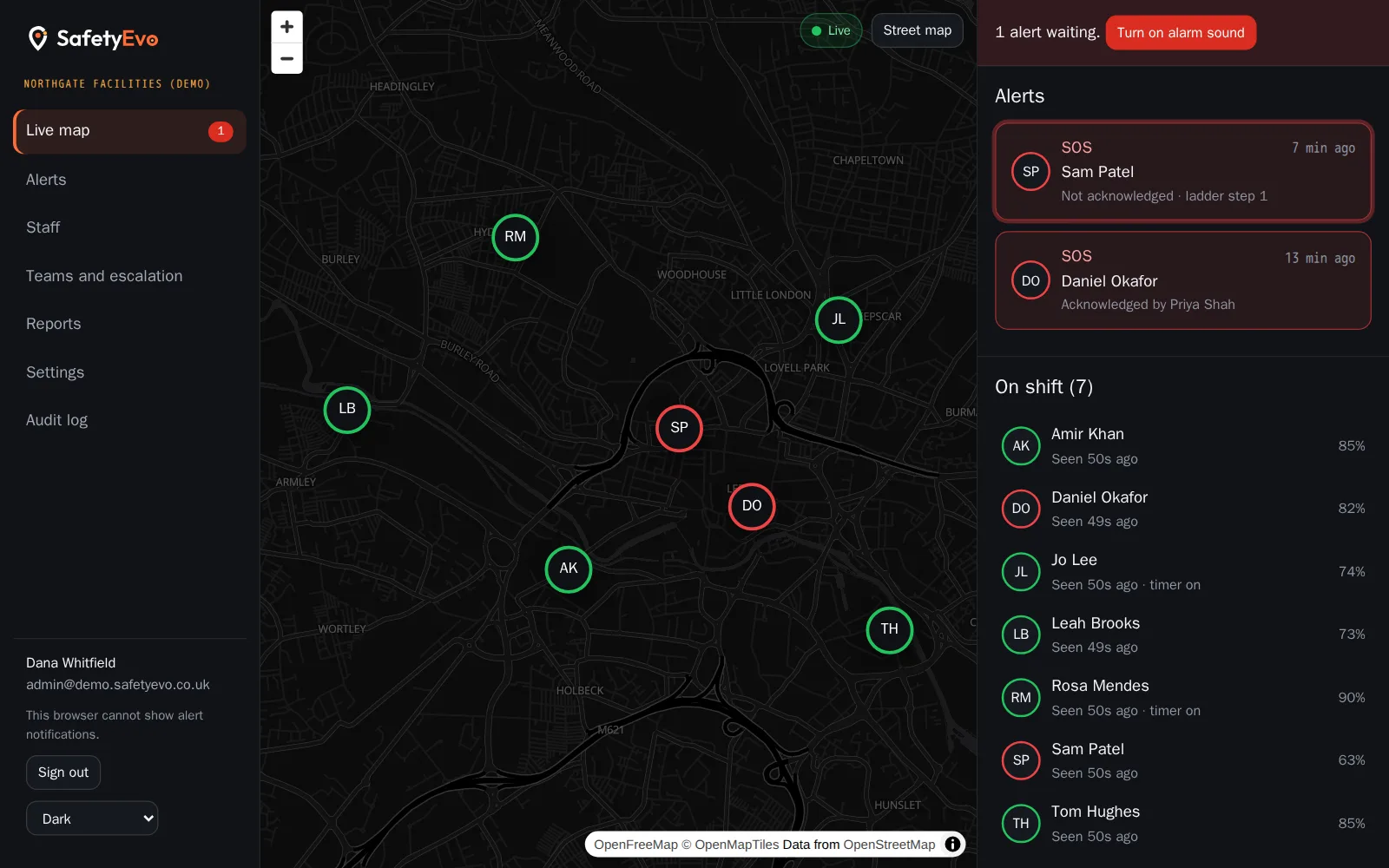
See who is working, who is safe and who needs you.
A live map, an alert queue that sounds until someone takes it, an incident panel that records every step, welfare checks with a voice message, and reports for your records.
Office console with a demo company and sample names.
For every team that works alone.
Security companies
Security officers often work nights, alone, on sites that are empty for a reason.
Cleaning companies
Cleaning often happens when everyone else has gone home: early mornings, late evenings and weekends, in buildings that are otherwise empty.
Facilities management
Facilities teams move between buildings, plant rooms, roofs and risers, often alone and often out of hours.
Construction
Most construction work happens in teams, but plenty does not: site managers opening up, trades finishing late, inspections, out of hours security.
Field engineers
Field engineers spend their day at other people’s premises: homes, plant rooms, rooftops and roadside cabinets.
Healthcare and care workers
Care workers and community health staff visit people in their own homes, often alone, often early or late.
Property maintenance
Maintenance operatives, voids teams and housing officers visit empty and occupied properties alone every day.
Logistics and delivery
Drivers spend their shifts alone, on the road and at unfamiliar drop-offs.
Built around what happens after the alarm.
Plenty of apps can send an alert. The hard part is making sure a person receives it, takes ownership and acts, at any hour, with a record of every step.
- Every alert has an owner
Escalation never stops until a named person acknowledges.
- Never push alone
Push, then text, then an automated call.
- The server does the remembering
Timers and escalation run on our servers, not on a phone that can die.
- Privacy your staff can accept
Location only during shifts, always visible, every view recorded.
- Records you can rely on
Incident timelines and an audit log that cannot be edited.
Everything included, from £4 per person.
One plan with every safety feature and escalation by push, text and call. Office users free, no contract, 30-day free trial. Prices exclude VAT.
Frequently asked questions
What is lone worker protection?
Arrangements that keep people who work without direct supervision safe, including a way to raise the alarm and a way for the employer to know when someone has not checked in. SafetyEvo provides the app, the office console and the escalation behind them.
How do SOS alerts work?
The worker holds SOS for two seconds. After a five second countdown the alert goes to your team with their location, and escalates by push, text and automated call until a named person acknowledges it.
Is location monitored all the time?
No. Location is collected only while a shift is open, and the app always shows when tracking is on.
Can staff clock in and out?
Not yet. Clock-in, attendance and scheduling are in development. Today SafetyEvo focuses on lone worker safety.
What does the employer dashboard show?
Everyone on shift on a live map, open alerts with sound, each worker’s battery, signal and check-in timer, and a full timeline for every incident.
Which phones does it work on?
Recent iPhones and Android phones. The app checks its own settings and tells staff what to fix.
How is data protected?
Data is stored on servers in the EU, sign in to the console needs two-step verification, and every view of a location is recorded in an audit log.
What happens if nobody responds to an alert?
It moves to the next step of your escalation ladder, and after the last step it repeats. Alerts never stop on their own.
Make every working day a safer one.
Book your SafetyEvo demo. We will press SOS together and follow it all the way to a named person.